Compare AI Image Generators
One Prompt, Every Model
Stop juggling browser tabs. Image Lab runs your prompt across top image models including GPT Image 1.5, Nano Banana, FLUX, Seedream, Grok Imagine, and more simultaneously in one view.
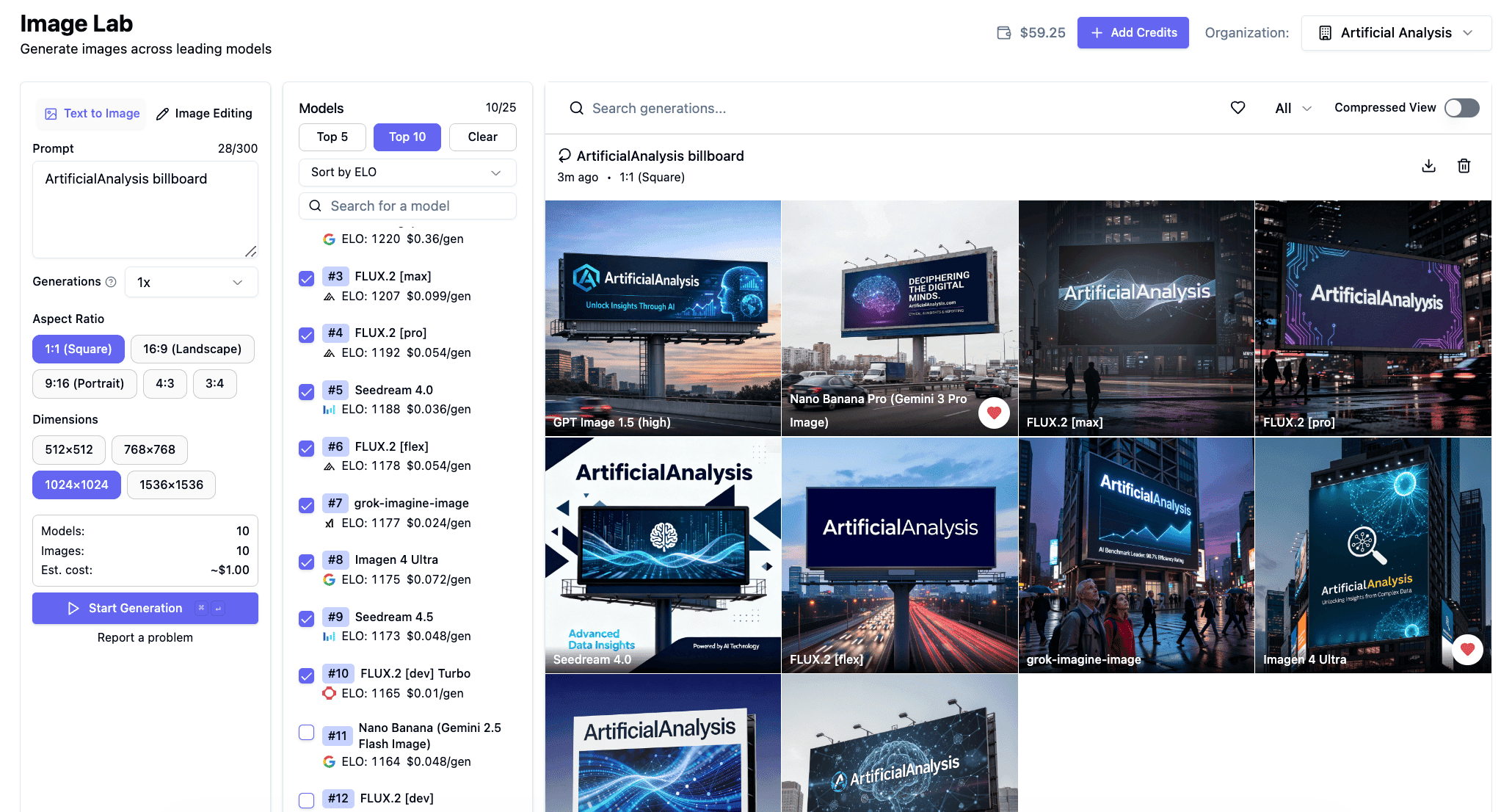
AI Image Generation, Side by Side
Image Lab lets you generate across the top image models, all in one place.
Up to 25 models at once
Generate images across up to 25 AI image models at once, with up to 20 images per model in a single run.
Side by Side Comparison
Results appear in a clean grid as soon as they are ready, letting you quickly compare outputs from multiple AI image models in one place..
Elo ranked model selection
Models are ordered by their Arena Elo rating so the top performing models appear first.
Custom Aspect Ratios and Resolutions
Generate images in multiple aspect ratios and resolutions across top AI image models.
Image Editing
Upload any image and edit it, transform it, or generate something entirely new using top AI image models.
Save, Favorite, and Download Creations
Keep track of your generations, save your favorites, and download images whenever you need them.
Frequently asked questions
Common questions about Image Lab and AI image comparison.
Image Lab supports 25+ leading AI image models including OpenAI, Google, SpaceXAI Grok, FLUX, and Seedream. Select any combination of models and generate images across them simultaneously in one place.
You can compare up to 25 models at once in Image Lab. This allows you to see how different models handle the same prompt, or compare the output of different models on the same image.
Enter a single prompt, select the AI image models you want to compare, and click generate. Image Lab sends your prompt to every selected model in parallel and generates images across all of them at once. Results appear in a grid as each model finishes so you can quickly compare outputs from multiple AI image models in one place.
Yes. Image Lab includes an AI image editing mode where you upload a reference image and apply an edit prompt. The edit runs across all selected AI image models so you can compare how each model interprets the same instruction. This is useful for tasks like style transfer, background removal, and object replacement.
Models are ranked by Elo using blind image comparisons judged by our validated private evaluators. This ranking surfaces the highest performing AI image models first. You can also explore the full image generation leaderboard for detailed benchmark data. View leaderboard
Stop switching tabs. Compare top AI image models side by side.
Your next great image is one prompt away. Find out which leading model makes it best.
Open Image LabPart of the Artificial Analysis platform — independent AI benchmarking.