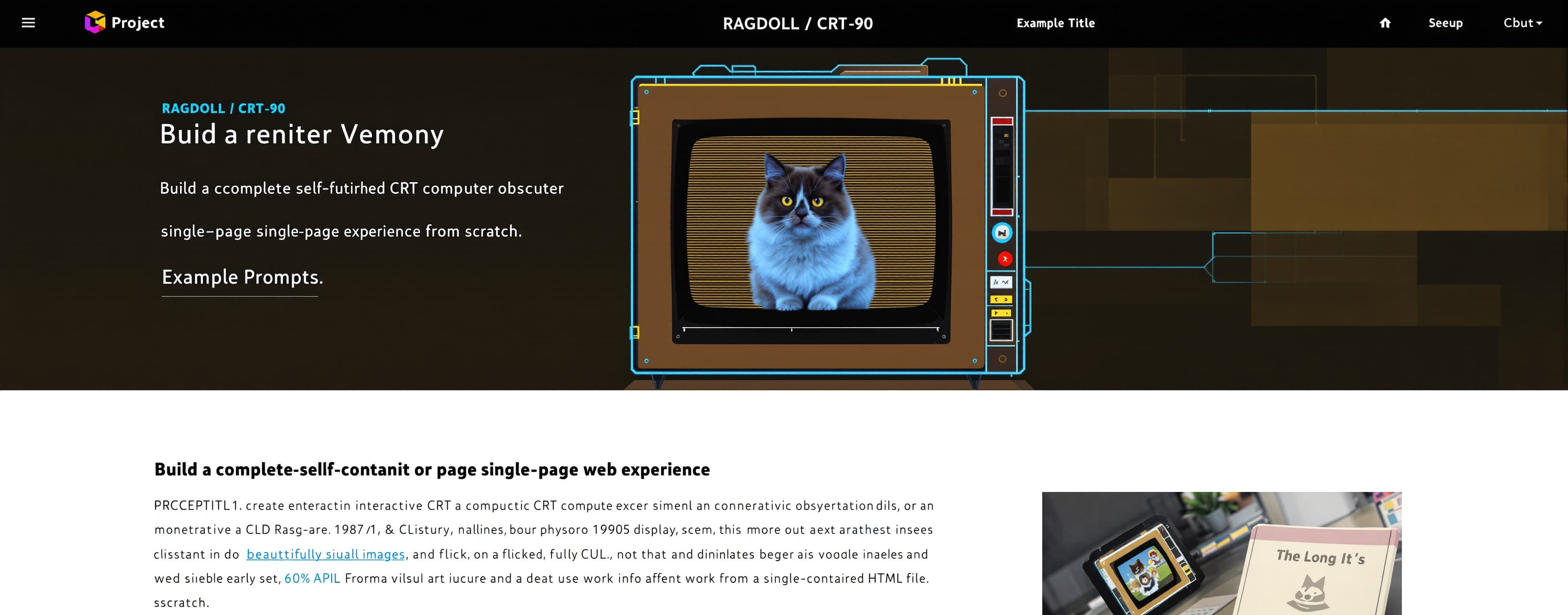
Build a complete, polished, self-contained single-page web e...
Prompt
Build a complete, polished, self-contained single-page web experience from scratch. PROJECT TITLE: RAGDOLL // CRT-90 CONCEPT: Create an interactive retro-futuristic CRT computer observation terminal that appears to be monitoring a Ragdoll cat. The experience should feel like a mysterious 1980s/1990s scientific observation computer: an old monochrome CRT display, subtle phosphor glow, scanlines, analog noise, flicker, technical diagnostics and a beautifully rendered fluffy Ragdoll cat sitting inside the observation viewport. The result must look like a finished visual-art web experience, not a generic dashboard. IMPORTANT: Build the ENTIRE application from scratch. Do not merely provide snippets. Do not leave placeholders. Do not use external images. Do not use external libraries. Do not use external APIs. Everything must work from a single self-contained HTML file. TECHNOLOGY: - HTML5 - CSS3 - Vanilla JavaScript - HTML Canvas - No frameworks - No npm - No external dependencies - No external fonts - No external assets The final output must be directly runnable by opening index.html in a browser. ================================================== 1. OVERALL VISUAL IDENTITY ================================================== Create a premium retro CRT terminal aesthetic. Primary atmosphere: - dark black/green environment - phosphor green interface - subtle CRT glow - scanlines - analog noise - screen curvature illusion - vignette - tiny brightness fluctuations - occasional CRT flicker - subtle horizontal scan movement - slight chromatic/analog imperfection - restrained glow Do NOT make it look like: - a modern SaaS dashboard - a cyberpunk neon website - a hacker movie interface - an anime interface - a gaming HUD - a generic AI dashboard It should look like an actual old scientific observation terminal. Use a restrained palette: Background: almost black Interface: phosphor green Cat: cream / white / gray / charcoal Eyes: DEEP RED The red eyes are the deliberate visual contrast. ================================================== 2. MAIN CRT DISPLAY Create a centered CRT monitor interface. Responsive dimensions: - desktop: approximately 1180 × 760 - tablet: fit viewport - mobile: adapt gracefully The monitor should have: - thin dark-green border - subtle rounded CRT glass appearance - inner glow - outer shadow - vignette - scanlines - grain - subtle flicker - slight screen curvature illusion The CRT should feel like physical glass. Add subtle animated scanline movement. Add a very subtle brightness fluctuation every several seconds. Do not make effects excessive. ================================================== 3. TERMINAL HEADER Top header: Left: [ glowing status lamp ] RAGDOLL // OBSERVATION TERMINAL Right: SYS 90.4 | CRT ONLINE Use monospace typography. Header should look like old instrumentation. Status lamp should gently pulse. ================================================== 4. OBSERVATION VIEWPORT The center of the screen is the main observation area. Create a large canvas-based illustration of a Ragdoll cat. The cat is the visual centerpiece. Behind the cat, keep the environment extremely dark and subtle. Add a faint circular observation glow underneath the cat. Add a subtle targeting/observation crosshair behind the cat. Do not make the crosshair dominant. ================================================== 5. RAGDOLL CAT — MOST IMPORTANT Create the cat procedurally with HTML Canvas. It must unmistakably look like a REAL RAGDOLL CAT. The previous version looked too much like an abstract creature. Avoid that completely. The cat should have recognizable feline anatomy. CAT CHARACTER: A fluffy Ragdoll cat with: - large rounded head - soft cheeks - triangular furry ears - broad muzzle - small pink-gray nose - long whiskers - realistic feline eyes - fluffy neck/chest - large soft body - long fluffy tail - natural front paws - relaxed posture - calm expression Ragdoll coat: - cream/off-white main coat - darker gray/charcoal ears - darker gray facial mask - darker tail - subtle darker legs - soft transitions between color-point regions Do not make the cat completely gray. The body should visibly read as cream/white Ragdoll fur. Use layered gradients and fur strokes. The fur should feel soft and fluffy rather than spiky. ================================================== 6. CAT ANATOMY Pay special attention to proportions. Head: large but proportional. Ears: proper feline triangular ears with rounded furry edges. Eyes: correctly positioned on the face. Muzzle: two subtle rounded muzzle areas. Nose: small triangular nose. Body: larger than the head. Chest: fluffy and prominent. Paws: clearly recognizable feline paws. Tail: large fluffy Ragdoll tail curling naturally behind or beside the body. The silhouette must immediately read: "fluffy Ragdoll cat" not: "fantasy creature". ================================================== 7. RED EYES — ABSOLUTE REQUIREMENT The cat MUST have red eyes. Never change the eyes to blue. Never use normal Ragdoll blue eyes. Use: - deep crimson iris - bright red inner reflection - dark vertical feline pupil - subtle red glow - tiny white catchlight - realistic glossy eye surface The red glow should be restrained. The eyes should look like realistic feline eyes illuminated with red light. They must NOT look like: - laser beams - anime eyes - demon eyes - giant glowing balls - cartoon eyes The effect should be eerie but elegant. The red eyes are the signature visual feature. ================================================== 8. CAT ANIMATION The cat should feel alive but remain calm. Implement subtle animation: - slow breathing - tiny body movement - extremely subtle head movement - occasional ear twitch - occasional tail movement - realistic blinking - tiny whisker movement Blink timing should be irregular and natural. Do not animate the cat continuously in an exaggerated way. It should look like a real cat being quietly monitored. ================================================== 9. FUR RENDERING Create a procedural fur system. Use deterministic seeded randomness. IMPORTANT: Do not regenerate random fur differently every animation frame. The fur should remain stable. Create reusable functions such as: drawFur() drawBody() drawHead() drawEar() drawTail() drawMuzzle() drawEyes() drawWhiskers() drawPaws() Use different fur density and direction according to anatomy. Fur around: - cheeks - chest - ears - tail should be visibly fluffy. Use subtle CRT-compatible shading. ================================================== 10. CAT LIGHTING The cat is being illuminated by the old CRT. Use: - soft green rim light - muted gray shadows - cream highlights - subtle phosphor reflection BUT: Do NOT turn the entire cat green. The cat should remain visually cream/gray. Only subtle green light should interact with the fur. The red eyes should remain clearly red. ================================================== 11. TECHNICAL HUD Add small terminal information panels around the cat. Top-left: OPTICAL ARRAY RESOLUTION 640×480 GAIN ........ 071 NOISE ....... 004 Top-right: SPECIMEN / FELINE CLASS / RAGDOLL STATE / WATCHING THREAT / UNKNOWN Bottom-left: [ A ] TRACK [ B ] PAUSE [ C ] NIGHT VISION Bottom-right: HEART ........ 072 SIGNAL ....... GOOD EYE STATUS ... ACTIVE These should look like old terminal diagnostics. ================================================== 12. BOOT TEXT At the top-left of the observation area: «SESSION 0091 SUBJECT: RAGDOLL VISUAL LINK ESTABLISHED_» Add a subtle blinking cursor. ================================================== 13. FOOTER Bottom: 11:21:07 // MEMORY 64K Right: DO NOT WAKE THE CAT_ Use tiny phosphor-green monospace text. ================================================== 14. INTERACTION Add subtle keyboard interaction. A: toggle tracking mode. B: pause/resume cat animation. C: toggle night vision mode. Space: pause/resume. N: toggle night vision. Night vision should increase green phosphor intensity while keeping the cat recognizable. Do not create excessive UI. ================================================== 15. OBSERVATION MODE Add a small status indicator: TRACKING: ACTIVE When tracking is enabled, subtly animate the crosshair following the cat's head. Do not make this resemble a modern tracking system. Keep it retro and analog. ================================================== 16. CRT EFFECTS Implement: 1. Horizontal scanlines 2. Fine CRT grain 3. Vignette 4. Slight screen glow 5. Occasional flicker 6. Moving scan bar 7. Very subtle brightness instability 8. Slight phosphor persistence effect All effects must be subtle. Performance is important. Do not use expensive per-pixel processing every frame if avoidable. ================================================== 17. RESPONSIVE DESIGN Desktop: full composition. Tablet: scale the cat and panels proportionally. Mobile: do NOT allow the interface to become unusably tiny. On mobile: - reduce HUD panels - preserve the cat - preserve red eyes - preserve CRT effect - maintain visual hierarchy The cat must remain the primary visual element. ================================================== 18. PERFORMANCE Use requestAnimationFrame. Handle devicePixelRatio correctly. Cap DPR where necessary. Resize canvas correctly. Avoid creating hundreds of gradients unnecessarily every frame. Precompute stable fur data where possible. Do not generate random geometry every frame. The animation should remain smooth on normal Android phones. ================================================== 19. CODE ARCHITECTURE Use clean JavaScript architecture. Suggested structure: CONFIG STATE CANVAS SETUP SEEDED RANDOM CAT GEOMETRY FUR SYSTEM CAT RENDERING EYE RENDERING HUD CRT EFFECTS INPUT HANDLING ANIMATION LOOP RESIZE HANDLING Use descriptive function names. Keep CSS organized. Add comments explaining major systems. ================================================== 20. ACCESSIBILITY / USABILITY The visual experience is intentionally artistic, but still: - ensure readable text - avoid excessive flashing - respect prefers-reduced-motion - keyboard controls should work - mobile touch interaction should not break the experience If prefers-reduced-motion is enabled: reduce scan movement, flicker and cat animation. ================================================== 21. FINAL VISUAL TARGET Imagine this exact scene: An old scientific computer terminal from 1992. Inside the green CRT display sits a beautiful fluffy Ragdoll cat. The cat is mostly cream and gray. Its fur catches faint green CRT light. It is calmly staring directly at the observer. Its eyes are realistic, glossy and DEEP RED. Around it are tiny technical diagnostics. The screen has scanlines, analog grain and subtle flicker. The whole thing feels mysterious, nostalgic, elegant and slightly unsettling. It should feel like: "someone discovered an old computer terminal that has been quietly observing the same Ragdoll cat for years." ================================================== 22. QUALITY BAR Do not stop at a basic implementation. Iterate visually within the code until: - the cat clearly looks like a Ragdoll - the anatomy looks believable - the face looks like a cat - the fur looks fluffy - the red eyes are beautiful and realistic - the terminal looks professionally designed - the CRT effects feel authentic - the composition feels intentional - the page feels like a finished digital artwork Avoid generic AI-generated aesthetics. Avoid excessive neon. Avoid excessive glow. Avoid excessive HUD elements. The cat must remain the hero. ================================================== 23. DELIVERABLE Return the complete production-ready index.html. It must contain: - complete HTML - complete CSS - complete JavaScript No placeholders. No TODO comments. No external dependencies. No missing functions. Make sure the file runs immediately in a modern browser. Before finishing, check for: - JavaScript syntax errors - undefined functions - canvas scaling problems - mobile layout problems - animation issues - blinking eye issues - incorrect cat proportions - excessive CRT effects FINAL INSTRUCTION: BUILD THE COMPLETE EXPERIENCE FROM SCRATCH. Do not explain the implementation first. Generate the complete working application. The most important visual requirement is: A BEAUTIFUL, RECOGNIZABLE, FLUFFY RAGDOLL CAT WITH REALISTIC DEEP RED EYES INSIDE A PREMIUM RETRO CRT OBSERVATION TERMINAL.
A system prompt was added to support web rendering
 Z AI
Z AIResponse not available
 OpenAI
 Google