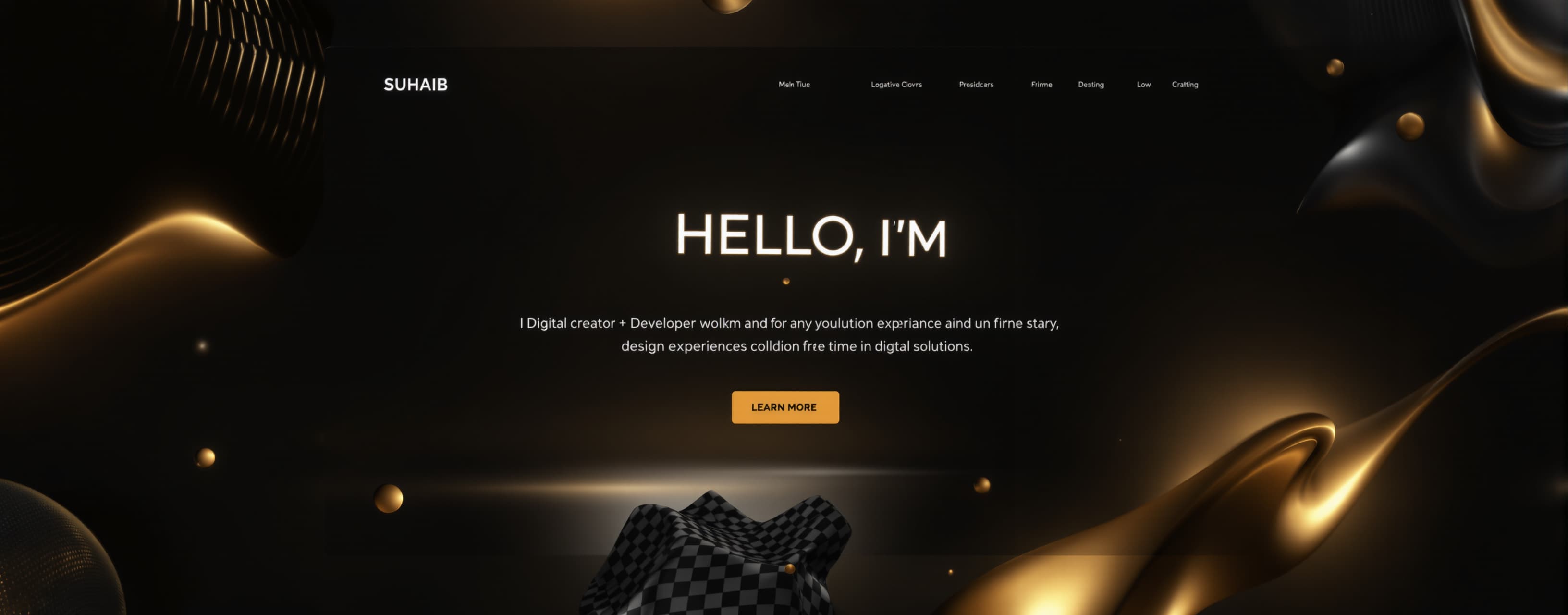
Suhaib proftolio
Production-quality portfolio with smooth interactive 3D elements, CraftWorld showcase, animations and responsive UI.
Prompt
Build a premium, fully coded personal portfolio website for SUHAIB. IMPORTANT: Create the entire website from ONE prompt. Do not use a generic portfolio template. Do not make it look like Canva or a simple landing page. The final result must feel like a high-end interactive digital experience made by a creative developer/designer. STYLE: Dark black cinematic interface with subtle warm gold/champagne accents, thin borders, soft glow, premium typography, lots of depth and carefully controlled whitespace. Keep the design elegant and professional rather than overloaded. MAIN HERO: Create a strong hero section: "HELLO, I'M" "SUHAIB" Subtitle: "DIGITAL CREATOR • DEVELOPER • DESIGNER • BUILDER" Short description: "I design experiences that stay. Crafting digital solutions with creativity, logic & purpose." Add buttons: "EXPLORE MY WORK" "DOWNLOAD CV" Add a large interactive 3D particle sphere/orb on the right side. The sphere must NOT be a static image. It should continuously rotate slowly in 3D. Allow the user to drag/swipe it to rotate manually. Mouse movement should subtly influence its particles. Click/drag interaction must feel smooth and responsive. Use particles, connected points, thin golden orbital lines and small glowing nodes. The sphere should have realistic depth and premium lighting. Add small statistics below: "2+ YEARS EXPERIENCE" "15+ PROJECTS COMPLETED" "∞ IDEAS BUILDING" INTERACTIVE LAB: Create a horizontal/scrollable section titled: "INTERACTIVE LAB" Subtitle: "Move, scroll, drag, hover — everything interacts." Create these interactive experiments: 1. CURSOR FIELD Particles react naturally to cursor movement. 2. LIQUID TYPOGRAPHY Large text smoothly bends/warps around the pointer. 3. MAGNETIC BUTTONS Buttons subtly attract toward the cursor and smoothly return. 4. CHROME SOLID A reflective 3D chrome object that can be dragged/rotated with touch or mouse. 5. REACTIVE GRID A grid of small cells that react to cursor proximity with smooth light waves. 6. MOTION TRAIL Cursor movement creates a beautiful fading particle/light trail. 7. FIELD DISTORTION A thin particle/line field bends around the cursor. 8. SCROLL STORY A scroll-driven visual where progress and text change smoothly. IMPORTANT FOR ALL INTERACTIONS: These elements MUST actually work. Do not create fake buttons or decorative animations. Interactions should respond to hover, mouse movement, click, drag, swipe and touch where appropriate. Everything must have smooth easing and animation. Avoid lag, excessive particles, huge canvas calculations or unnecessary re-renders. Optimize animations using requestAnimationFrame and efficient DOM/canvas/WebGL techniques where appropriate. On mobile, replace hover-only interactions with touch-friendly interactions. No interaction should open random information panels just because the user clicked anywhere. Only clearly marked buttons, labels or controls should open information. ABOUT SECTION: Create an elegant "ABOUT ME" section explaining that Suhaib is a developer, designer and digital creator focused on building meaningful digital products and interactive experiences. Add a visual signature/creative element, but keep it subtle. CRAFTWORLD FEATURE: Create a major featured-project section titled: "CraftWorld" Description: "Next-gen billing & business management platform built to empower businesses." Show CraftWorld as one of Suhaib's major products. Include: • Billing & Invoicing • Inventory Management • Employee Management • Customer Relationship Management • Analytics & Reports • Business Management Create an interactive CraftWorld ecosystem visualization. Place "CRAFTWORLD" in the center with connected modules around it: BILLING EXPENSES CRM EMPLOYEES AI TOOLS The modules should have subtle hover/touch interactions. When the user intentionally interacts with a module, show a small contextual explanation near the module instead of opening a huge modal. Keep the information visible but compact. Add: "EXPLORE CRAFTWORLD →" The CraftWorld project preview should look like a real professional SaaS product/dashboard, not a fake placeholder. WORK / PROJECTS: Create a premium project showcase with cards. Each project card should have: project name, category, short description, technologies and a clear action button. Cards should animate subtly into view while scrolling. Use smooth horizontal/vertical movement where appropriate. TECH STACK: Create a clean technology section showing technologies such as: HTML, CSS, JavaScript, TypeScript, React, Node.js, Tailwind CSS, Firebase and other relevant tools. Use small interactive hover effects but do not make the section visually noisy. EXPERIENCE: Create a minimal timeline showing Suhaib's development/design journey. Use scroll-based reveal animations and a thin glowing progress line. CONTACT: Create a premium contact section: "LET'S BUILD SOMETHING AMAZING TOGETHER" Add a clear "GET IN TOUCH" button and social/contact links. NAVIGATION: Top navigation: HOME ABOUT WORK EXPERIENCE CRAFTWORLD CONTACT Add a compact settings/control panel on desktop containing: UI MODE ACCENT COLOR SOUND INTERACTION INTENSITY The controls must actually work. Accent color should change the interface accent. Interaction toggle should enable/disable enhanced cursor effects. Intensity slider should control visual interaction intensity. Sound should only affect optional ambient effects and must never autoplay unexpectedly. MOBILE: Make the entire site fully responsive. The interactive experience must remain usable on Android phones. Use touch gestures for drag/rotate interactions. Avoid horizontal overflow. Reduce expensive effects automatically on low-powered/mobile devices while keeping the visual quality. ANIMATION: Use smooth premium motion everywhere: fade + slide reveals, parallax, magnetic movement, particle motion, scroll progress, soft glow, 3D rotation, hover transitions, touch interactions, micro-interactions. Do NOT animate everything constantly. Animations should feel intentional, slow and expensive. PERFORMANCE: This is extremely important. The website must feel smooth, not laggy. Optimize canvas/WebGL effects. Limit particle counts on mobile. Use GPU-friendly transforms. Avoid unnecessary React re-renders. Clean up animation loops and event listeners. Use lazy loading where useful. DESIGN RULE: Do NOT redesign the concept into something completely different. Maintain the black + warm gold premium visual identity. Do not add random colors. Do not add unnecessary gradients, giant text walls, excessive glassmorphism or distracting effects. CONTENT RULE: Every interactive element should either: 1. provide a meaningful visual interaction, OR 2. have a small clearly marked info/action label. Do not make the entire card clickable. Do not open information panels from random clicks. FINAL FEEL: The visitor should feel: "I came here to see a portfolio... and somehow I ended up exploring an entire digital world." Build it as a polished production-quality portfolio, not a prototype. All interactions must be functional, smooth and responsive.
A system prompt was added to support web rendering
Answer guidance
The answer should provide a complete, production-quality implementation. Prioritize smooth, functional interactions, rotatable/drag-responsive 3D elements, polished animations, responsive design, and the CraftWorld section. Keep the visual design premium and cohesive. Do not provide a generic template or unfinished prototype.
 Google
 Anthropic
 Kimi
Kimi