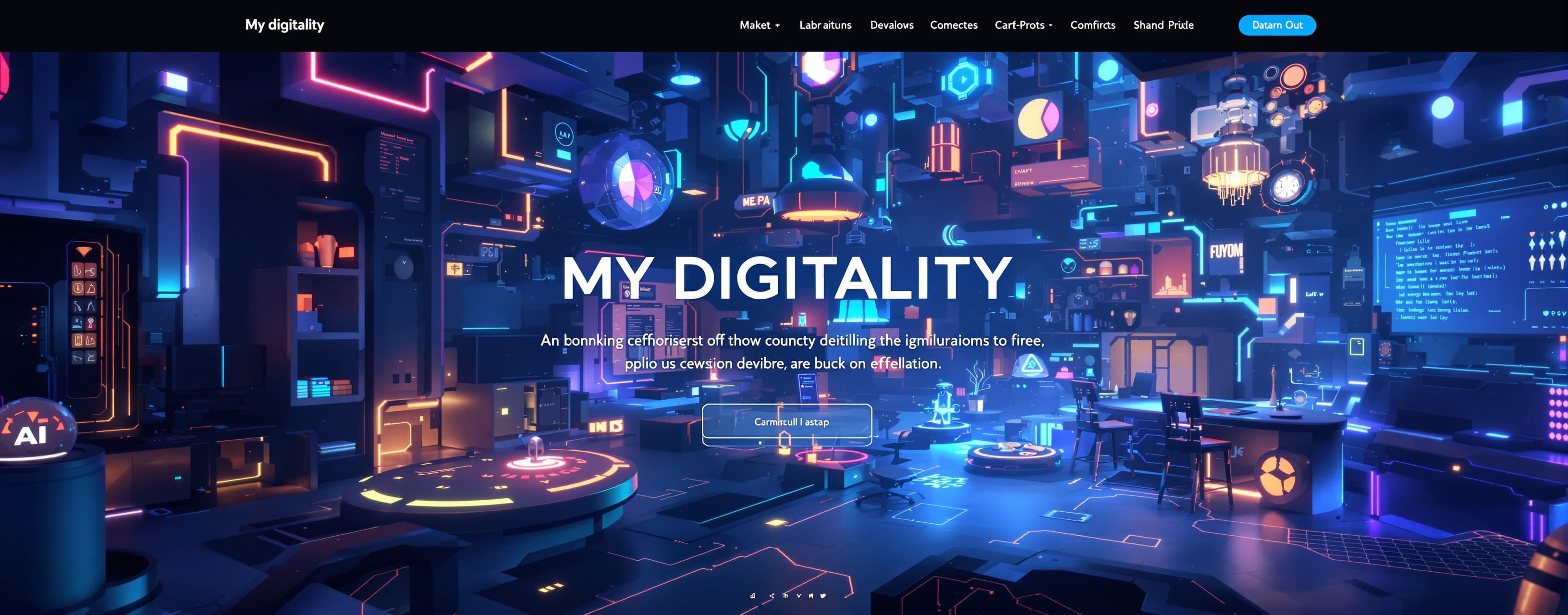
MY DIGITALITY
Build a cinematic 3D personal digital universe for Suhaib — a coder, creative builder, and AI experimenter. The experience should combine his work, projects, ideas, AI workflow, and his main project CraftWorld into one interactive futuristic world. This is not a traditional portfolio; it should feel like entering his own digital headquarters, with explorable 3D environments, interactive project archives, an AI lab, CraftWorld HQ, future AI-agent vision, hidden secrets, and polished cinematic interactions.
Prompt
SUHAIB // DIGITAL UNIVERSE — ONE-SHOT MASTER BUILD PROMPT Build a complete, polished, production-quality interactive 3D website called SUHAIB // DIGITAL UNIVERSE. This is NOT a traditional portfolio, landing page, resume, or generic AI dashboard. It is a personal digital universe representing Suhaib as a coder, creative builder, AI experimenter, idea-driven creator, and the person behind CraftWorld. The experience should feel like entering a futuristic personal headquarters: part 3D world, part developer workspace, part interactive portfolio, part idea archive, part AI laboratory, and part CraftWorld command center. CORE IDEA: “An idea becomes different once it exists.” The visitor should explore rather than simply scroll. The world should create curiosity: “What is that building?”, “What happens if I click this?”, “What is behind that door?”, “How does CraftWorld fit into all of this?” IMPORTANT: Never invent personal facts, clients, revenue, users, awards, education, certifications, followers, partnerships, or achievements. If exact information is unavailable, use clearly editable placeholder content. Never fabricate CraftWorld statistics or claim future features already exist. 1. OPENING EXPERIENCE Start with a cinematic black screen, subtle particles, distant futuristic architecture, atmospheric lighting, and a slowly approaching camera. Reveal: SUHAIB CODER • CREATOR • BUILDER Then: “Welcome to my digital world.” Primary action: ENTER THE UNIVERSE On click, transition smoothly into the 3D world. Do not immediately show a normal navbar. The visitor should feel as though they have entered a place. Create a custom loading sequence: INITIALIZING DIGITAL UNIVERSE... LOADING WORLD LOADING WORK ARCHIVE LOADING IDEA LAB LOADING AI LAB LOADING CRAFTWORLD SYSTEM READY Never fake a long loading time. 2. THE 3D WORLD Build an explorable futuristic environment using Three.js / React Three Fiber or an equivalent high-quality WebGL approach. The visual direction: - dark charcoal/black environment - metallic futuristic architecture - glass and holographic surfaces - restrained cyan/violet/white accents - atmospheric fog - subtle particles - soft bloom - cinematic shadows - premium typography - thin data lines - controlled glow Avoid generic cyberpunk, excessive neon, rainbow gradients, cheap 3D assets, and template aesthetics. Create a central hub with these major locations: THE CORE — Suhaib / identity CODE LAB — coding and technology WORK ARCHIVE — projects IDEA LAB — concepts and thoughts AI LAB — AI-assisted workflow CRAFTWORLD HQ — main software ecosystem FUTURE CHAMBER — future concepts ARCHIVE VAULT — experiments and unfinished ideas COMMAND CENTER — central navigation SECRET TERMINAL — hidden interactions CraftWorld HQ must visibly feel like the most important structure after the central core. 3. SUHAIB / THE CORE Create a personal interactive room titled: WHO IS SUHAIB? Do not make this a boring “About Me” page. Represent Suhaib as: - coder - creative builder - web creator - AI experimenter - product thinker - problem solver - idea generator The personality should communicate curiosity, experimentation, creativity, and a habit of turning ideas into interactive projects. Show a visual flow: IDEA → EXPERIMENT → CODE → BUILD → POLISH Do not invent biography details. Keep content editable. 4. CODE LAB Create a futuristic developer workspace with floating code screens, terminals, UI structures, component diagrams, database visualizations, 3D objects, and project nodes. Represent the workflow: IDEA ↓ PLAN / PROMPT ↓ CODE ↓ TEST ↓ BREAK ↓ FIX ↓ POLISH ↓ BUILD Show technologies relevant to the projects, such as React, TypeScript, Tailwind CSS, Firebase, React Router, Three.js / React Three Fiber, Netlify, Replit, and AI-assisted development. Present them as tools used or explored, not as unsupported claims of mastery. Create a visual skill ecosystem with labels such as: EXPLORING / BUILDING / EXPERIMENTING / LEARNING instead of fake percentage ratings. 5. WORK ARCHIVE Create a large interactive building called: THE WORK ARCHIVE Projects should exist as floating holographic objects rather than ordinary cards. Categories: - Websites - Games - AI Projects - Creative Projects - Software - Experiments - Concepts Each project can contain: name, category, description, technologies, status, current stage, lessons, and future direction. Use a data-driven project structure so projects can be added later without rewriting components. Include an evolution system: IDEA → CONCEPT → PROTOTYPE → EXPERIMENT → BUILD → POLISH → FUTURE Allow unfinished projects to exist without making them look like failures. 6. IDEA LAB Create a room filled with floating idea nodes and glowing objects. Title: IDEA LAB Each idea can be opened to reveal: IDEA WHY STATUS POSSIBILITY RELATED PROJECT Possible statuses: THOUGHT EXPERIMENT BUILDING PAUSED REVISIT COMPLETED Ideas should be editable through a centralized data structure. Create subtle visual connections between related ideas and projects. 7. AI LAB Create a visually impressive AI research room. Represent AI as a creative and coding partner, not a replacement for the creator. Central visualization: SUHAIB ↓ IDEA ↓ AI ↓ REASONING ↓ CODE ↓ EXPERIMENT ↓ ITERATION ↓ PRODUCT Show possible AI-assisted activities: - brainstorming - coding - debugging - design exploration - prompt engineering - research - prototyping - idea refinement Do not claim access to models or capabilities that are not actually implemented. 8. CRAFTWORLD HQ CraftWorld is the heart of this universe and must receive the largest and most impressive section. Create an enormous futuristic headquarters that feels like a digital city inside the world. Title: CRAFTWORLD Subtitle: “A connected business software ecosystem designed to make everyday business operations easier to manage.” CraftWorld should feel like one ecosystem, not unrelated tools. Create a central holographic CraftWorld core connected to four major buildings: BILLING EXPENSE MANAGEMENT EMPLOYEE MANAGEMENT CRM BILLING Visualize invoices, billing records, transactions, and business billing workflows. EXPENSE MANAGEMENT Visualize expense tracking, organization, and business spending records. EMPLOYEE MANAGEMENT Visualize employee records, workforce organization, and management. CRM Visualize customers, customer records, relationships, and customer management. Each module should have its own environment but remain visually connected to CraftWorld. 9. CRAFTWORLD FOUNDATION Create a large interactive holographic wall explaining the philosophy. THE PROBLEM: Business operations can become scattered across different tools and workflows. THE IDEA: Bring important business operations into one connected ecosystem. THE PURPOSE: Make business management more organized, accessible, and easier to operate. Do not exaggerate claims. 10. CRAFTWORLD ARCHITECTURE Create a giant interactive ecosystem map: USER ↓ BUSINESS ↓ CRAFTWORLD ↓ BILLING EXPENSES EMPLOYEES CRM Then show a future outer layer: AI AUTOMATION ANALYTICS FUTURE MODULES Clearly distinguish existing/core concepts from future concepts. If showing a dashboard, use clearly labeled SIMULATION / DEMO data. Never present invented statistics as real. 11. CRAFTWORLD APP STRUCTURE Visually represent the intended application structure. Public: / /login /signup /forgot-password Protected: /dashboard /billing /expenses /employees /crm /profile /settings Authentication concept: - Email/password - Google Sign-In - Forgot password - Persistent sessions - Logout If backend functionality is actually implemented, connect it properly. Otherwise present it as architecture visualization rather than pretending it works. 12. CRAFTWORLD FUTURE AI AGENT Create a huge locked futuristic chamber titled: THE NEXT EVOLUTION Inside is a conceptual visualization of the future CraftWorld AI Agent. Label it clearly: CONCEPT / FUTURE VISION Show: USER ↓ CRAFTWORLD ↓ BUSINESS CONTEXT ↓ AI AGENT ↓ UNDERSTAND ↓ ASSIST ↓ AUTOMATE REPETITIVE WORK ↓ USER Possible future capabilities: - answering business questions - finding relevant information - understanding business data - assisting repetitive workflows - connecting CraftWorld modules - generating summaries - helping users make better operational decisions Never claim these already exist unless implemented. 13. CRAFTWORLD ROADMAP Create a cinematic visual roadmap: PHASE 01 — Core business management PHASE 02 — Connected modules PHASE 03 — Smarter workflows PHASE 04 — AI-assisted operations PHASE 05 — Broader intelligent business ecosystem Do not invent dates or completion percentages. 14. COMMAND CENTER At the center of the world create: COMMAND CENTER A floating central core connects: SUHAIB WORK IDEAS CODE AI CRAFTWORLD FUTURE Clicking a node smoothly moves the camera to the relevant area. Add an optional world map showing: THE CORE CODE LAB WORK ARCHIVE IDEA LAB AI LAB CRAFTWORLD HQ FUTURE CHAMBER ARCHIVE VAULT SECRET AREAS The 3D environment is the primary navigation; the map is a usability aid. 15. INTERACTIVE LORE Create small pieces of lore throughout the world. Examples: “Another idea.” “Still experimenting.” “Build. Break. Learn. Rebuild.” “CraftWorld: Evolving.” “System status: Still building.” These should be discovered naturally. 16. SECRET SYSTEM Add at least five meaningful secrets. Possible secrets: - hidden terminal commands - secret door - strange object with repeated interaction - hidden room behind CraftWorld HQ - hidden archive message - secret constellation connecting project nodes - system override interaction Secrets must reward curiosity. When discovered, show: SECRET DISCOVERED // 01 Do not reveal the locations of all secrets in the normal interface. Add a final especially memorable secret with a subtle message such as: “There is always another thing to build.” Do not explain how to find it. 17. TERMINAL Include a real interactive terminal. Commands: help about work projects craftworld modules ai ideas future secrets system clear Useful commands should return concise information. The "secrets" command should not reveal everything. It can respond: “Some things are better discovered.” Add a few hidden commands that trigger visual effects, but keep them optional. 18. CAMERA AND INTERACTION Implement: - mouse look - touch interaction - smooth camera movement - camera focus - building interaction - proximity prompts - hover reactions - click reactions - cinematic transitions Use easing instead of abrupt movement. When entering major locations, briefly show the title and subtitle, then allow exploration. Example: CRAFTWORLD HQ THE BUSINESS ECOSYSTEM Do not over-animate everything. 19. UI Do not use a giant permanent navbar. Use minimal overlays: TOP LEFT: SUHAIB // DIGITAL UNIVERSE TOP RIGHT: SYSTEM ONLINE BOTTOM: contextual controls When near an object: [ INTERACT ] Add a small sound toggle if audio exists. Use elegant glass/holographic panels only when necessary. 20. SOUND If reliable audio is supported, add subtle: - ambient atmosphere - UI clicks - transitions - confirmation sounds Include: SOUND ON / OFF Never use copyrighted music. If audio is unreliable, omit it gracefully. 21. TECHNICAL ARCHITECTURE Prefer: React TypeScript Three.js / React Three Fiber Tailwind CSS Framer Motion Keep architecture modular. Suggested structure: components/ 3d/ world/ craftworld/ data/ pages/ hooks/ animations/ utils/ Keep project, idea, thought, CraftWorld module, future concept, and secret data centralized and editable. Do not put the entire application into one huge component. 22. FIRST-VISIT EXPERIENCE Within roughly 30 seconds, the visitor should understand: - this is Suhaib's world - he builds things - he experiments with AI - he has a growing project ecosystem - CraftWorld is important - this is interactive 23. CONTACT / CONNECTION At the end of the experience include a minimal CONNECT area. Potential links: GitHub Instagram Email Other links Do not invent URLs. If no URL is provided, use an editable placeholder such as: LINK NOT CONFIGURED 24. DESIGN QUALITY The result should feel like a top-tier creative development showcase. It must be: PERSONAL IMMERSIVE ORIGINAL TECHNICAL CINEMATIC MINIMAL POLISHED CURIOUS FUTURISTIC Avoid: - generic portfolio layouts - stock imagery - excessive cards - giant text walls - random gradients - meaningless animations - cheap 3D assets - fake statistics - fake achievements - unnecessary neon Every visual element should have a reason. 25. FINAL EXPERIENCE Eventually return the user to the central core. Show: SUHAIB WORK IDEAS AI CRAFTWORLD FUTURE Then: “The world is still being built.” Below: SUHAIB // DIGITAL UNIVERSE CRAFTWORLD // EVOLVING Button: EXPLORE AGAIN Do not use a generic “Thank you for visiting.” The world should feel ongoing. 26. ABSOLUTE RULES 1. BUILD the actual functioning experience. Do not merely describe it. 2. Do not return only wireframes, ideas, pseudocode, or incomplete snippets. 3. Do not fabricate personal information. 4. Do not fabricate CraftWorld business statistics. 5. Clearly label future concepts as concepts. 6. Keep all editable content data-driven. 7. Test major interactions. 8. Test navigation. 9. Test mobile. 10. Test 3D loading. 11. Ensure text is readable. 12. Ensure no major buttons are broken. 13. Ensure no animation blocks usability. 14. Optimize for performance. 15. Preserve the immersive 3D identity. 16. Make the experience feel like a world, not a website. 17. Prioritize curiosity and exploration. 18. Make CraftWorld feel like the central long-term product inside this universe. 19. Polish everything before considering the build complete. The final emotional impression should be: “This isn't a portfolio.” “This is Suhaib's digital world.” And when CraftWorld is discovered: “This isn't just another project. This is the beginning of an ecosystem.” BUILD THE COMPLETE EXPERIENCE NOW. Do not simplify it into a generic portfolio. Use the full specification above as one unified product requirement.
A system prompt was added to support web rendering
 Anthropic