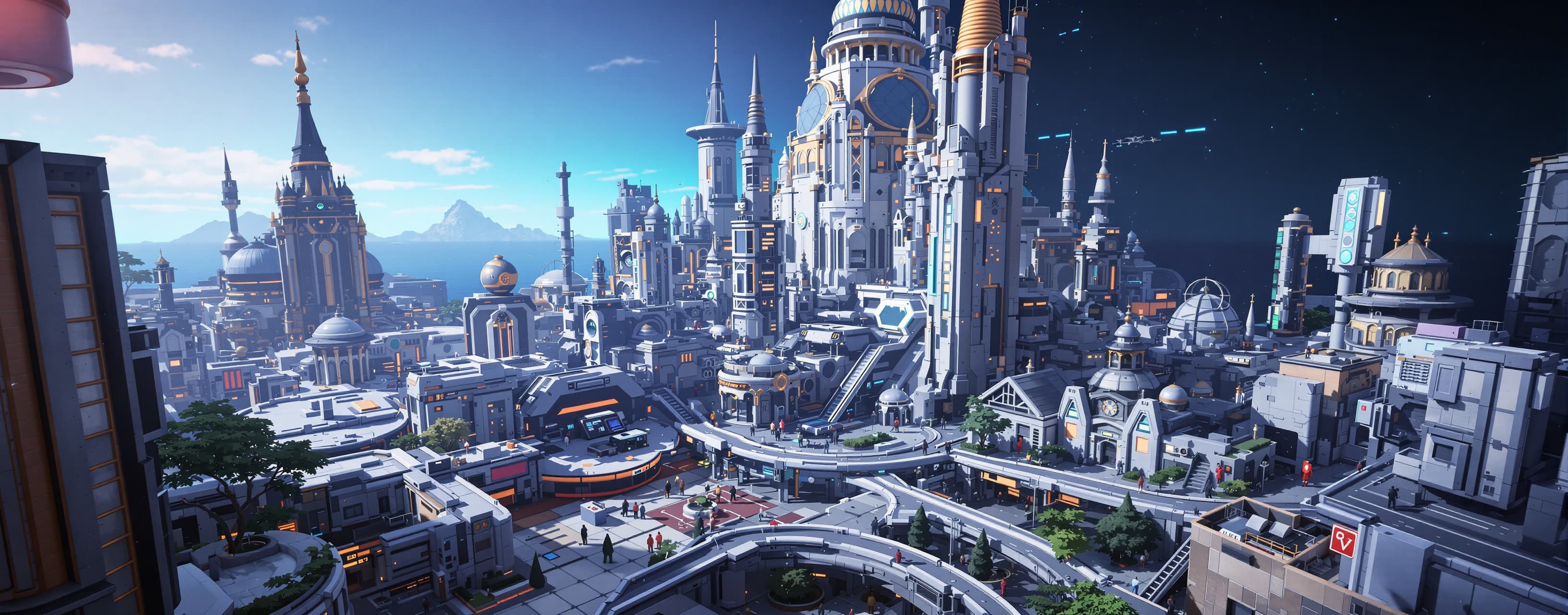
LoryqBench
A benchmark comparing three frontier AI coding models by having them independently build the same highly detailed, interactive 3D HTML web experience. Models are evaluated on visual quality, interactivity, performance, responsiveness, code quality, optimization, and overall polish.
Prompt
Build a complete, polished, interactive 3D web experience from scratch. This is a coding benchmark. I will directly open the result in a browser and evaluate it visually and interactively. Do not give me a mockup, wireframe, static screenshot, or simplified demonstration. Build the actual working website. # CORE CONCEPT Create an interactive futuristic 3D "Miniature Sci-Fi City" called: "NEXUS // 01" The website should feel like a real interactive digital environment rather than a normal landing page. The user should be able to freely explore a small futuristic city, interact with objects, open information panels, change the environment, and discover small details. The entire experience must run from a local HTML file or a simple local HTTP server. Avoid frameworks unless they provide a substantial benefit. If using a library such as Three.js, use it efficiently and explain why it is needed. --- # 1. 3D WORLD Create a complete miniature futuristic city. The scene should contain: * multiple buildings * roads * sidewalks * street lights * signs * windows * small vehicles * trees/plants * benches * traffic lights * antennas * rooftop equipment * small decorative objects * interactive terminals * a central landmark The environment should have enough detail to feel alive. Do NOT simply create ten cubes and call them buildings. Use procedural generation where appropriate. Buildings should have variation in: * height * width * shape * window layout * materials * rooftop details --- # 2. CAMERA Implement a polished camera system. Desktop: * WASD movement * mouse look * scroll zoom * smooth camera movement * optional orbit mode * sensible boundaries Mobile: * virtual joystick * touch camera controls * pinch zoom where appropriate The camera must feel smooth. Avoid motion sickness. Add configurable sensitivity. --- # 3. INTERACTION Objects throughout the city must be interactive. Examples: Clicking a building: * highlights it * displays its name * displays fictional statistics * shows its power consumption * shows occupancy * shows a small description Clicking a vehicle: * highlights it * displays its speed * destination * energy level Clicking a terminal: * opens an interactive futuristic terminal UI Clicking street lights: * toggles them Clicking the central landmark: * triggers a special event Objects should visually react to interaction. Use: * hover effects * outlines/highlights * animations * small UI transitions * contextual information Do not make every object interactive just for the sake of it. Prioritize meaningful interactions. --- # 4. LIVING ENVIRONMENT The city should not feel static. Implement subtle environmental animation: * vehicles moving along roads * blinking lights * animated signs * occasional flying drones * rotating machinery * traffic lights changing * animated windows * subtle particles * moving clouds or atmospheric elements * central landmark animation Animations should be lightweight. Do NOT create thousands of expensive individual objects if instancing or procedural techniques can achieve the same result. --- # 5. DAY / NIGHT SYSTEM Add a fully interactive environment controller. The user can change: * time of day * weather * atmosphere Time of day should affect: * sky * lighting * building lights * street lights * shadows * ambient illumination * atmosphere Provide presets: * Dawn * Day * Sunset * Night Weather presets: * Clear * Rain * Fog * Neon Storm The transitions should be smooth. --- # 6. WEATHER Implement lightweight weather effects. Rain: * many visible rain streaks * subtle reflections * wet-looking environment * altered lighting Fog: * atmospheric depth * reduced visibility Storm: * occasional lightning * brief environmental lighting changes These effects must be performance-conscious. Do not spawn huge numbers of individual DOM elements. Prefer GPU-friendly rendering techniques. --- # 7. CENTRAL LANDMARK Create a large futuristic structure in the center of the city. It should have: * animated rings * emissive materials * rotating components * energy pulses * moving lights * interactive controls When clicked, open a detailed control interface. The user should be able to manipulate at least: * energy output * rotation speed * light intensity * shield state Changing these values must visibly affect the 3D object. --- # 8. UI Create a sophisticated interface around the 3D environment. The UI should include: ### Top bar * NEXUS // 01 logo * current time * FPS counter * performance indicator ### Left panel * city overview * selected object * object statistics ### Right panel * environment controls * time * weather * graphics quality ### Bottom area * contextual interaction hints * current coordinates * system messages The UI must look like part of the world. Do not make it look like a generic Bootstrap dashboard. Use a coherent visual language. --- # 9. MAP / RADAR Add a small interactive radar/minimap. It should show: * player * buildings * vehicles * important landmarks * interactive objects Clicking a location on the radar should move/focus the camera toward it. Do not render a second full 3D scene for the minimap unless absolutely necessary. --- # 10. TERMINAL Create an interactive in-world terminal. The user can open it and type commands such as: ```text help status scan weather time systems map clear ``` Commands should produce believable responses. The terminal should actually work. --- # 11. DISCOVERY SYSTEM Add hidden details around the city. For example: * secret terminal * hidden rooftop object * strange billboard * underground entrance * hidden message * unusual vehicle * secret landmark interaction Track discovered items. Show: ```text DISCOVERIES: 7 / 20 ``` The user should have a reason to explore the entire environment. --- # 12. OBJECT INSPECTION Create a detailed inspection mode. When the user selects an object: * smoothly focus the camera * highlight the object * dim irrelevant UI * show detailed metadata * provide a close button * allow returning to exploration For selected objects, show things such as: ```text OBJECT NX-TOWER-07 TYPE Residential HEIGHT 184m OCCUPANCY 73% ENERGY 4.8 MW STATUS Operational ``` Generate believable data procedurally. --- # 13. MOBILE SUPPORT This is extremely important. The experience must work on: * desktop * laptop * tablet * mobile phone Do not simply scale the desktop UI down. Create an actual mobile interaction model. On mobile: * use touch controls * collapse panels * provide large touch targets * adapt HUD layout * avoid tiny text * prevent accidental scrolling * maintain smooth camera control Test the responsive layout at approximately: ```text 390x844 768x1024 1280x720 1920x1080 ``` --- # 14. PERFORMANCE This is one of the most important parts of the benchmark. The website must remain responsive on weak hardware. Target: ```text 60 FPS on capable hardware 30+ FPS on weak hardware ``` Avoid unnecessary: * DOM elements * draw calls * textures * shadows * geometry * allocations inside animation loops * event listeners * object creation every frame Use techniques such as: * instanced meshes * geometry reuse * material reuse * object pooling * frustum culling * level of detail * reduced shadow resolution * adaptive quality * efficient particle systems * throttled UI updates Do not update the entire UI every animation frame. --- # 15. AUTOMATIC QUALITY SYSTEM Implement graphics presets: ```text ULTRA HIGH MEDIUM LOW POTATO ``` The user can manually select a preset. Also provide: ```text AUTO ``` which dynamically adjusts rendering quality based on performance. The quality system may change: * shadow quality * render resolution * particle count * draw distance * effects * reflections * post-processing Never sacrifice basic usability. --- # 16. PERFORMANCE MONITOR Add a small performance monitor. Display: ```text FPS FRAME TIME DRAW CALLS TRIANGLES MEMORY (if available) QUALITY ``` The performance monitor should update efficiently. Do not make the performance monitor itself expensive. --- # 17. VISUAL POLISH The experience should feel extremely polished. Include: * smooth transitions * subtle bloom/glow where appropriate * atmospheric lighting * coherent typography * depth * shadows * reflections where practical * responsive hover states * loading screen * animated UI transitions * subtle sound effects if practical Avoid excessive effects. Everything should have a purpose. --- # 18. AUDIO If practical, add lightweight procedural or generated UI/environment sounds. Include: * UI interaction sound * terminal interaction sound * landmark activation * ambient city sound The experience must still work perfectly if audio is unavailable or blocked. Do not require external audio files if they complicate local execution. --- # 19. LOADING Create a proper loading screen. Show: ```text NEXUS // 01 INITIALIZING CITY LOADING GEOMETRY INITIALIZING SYSTEMS CALIBRATING ENVIRONMENT READY ``` Do not fake loading with an arbitrary timer. Progress should correspond to actual initialization where possible. --- # 20. ACCESSIBILITY Provide: * keyboard navigation where applicable * visible focus states * reduced motion option * high contrast option * readable text * controls that do not rely exclusively on color Respect: ```text prefers-reduced-motion ``` where practical. --- # 21. NO EXTERNAL DEPENDENCY FAILURE The website should be as self-contained as reasonably possible. If external libraries are required, make the dependency strategy reliable. Do not make the entire application fail because a non-essential asset is unavailable. Gracefully handle: * missing assets * WebGL limitations * unsupported features * audio restrictions * reduced GPU capabilities Provide a fallback message when necessary. --- # 22. WEBGL FALLBACK Detect whether WebGL is available. If WebGL is unavailable, display a polished fallback interface explaining that the 3D experience requires WebGL instead of showing a broken page. Do not crash. --- # 23. CODE QUALITY Structure the project properly. Do NOT put thousands of lines of unrelated JavaScript into one giant function. Separate logical systems such as: ```text renderer world camera input entities interaction weather environment ui performance audio storage ``` Use clean interfaces between systems. Avoid unnecessary complexity. --- # 24. PERSISTENCE Persist user settings using localStorage. Remember: * quality * volume * sensitivity * selected theme * reduced motion * discovered objects * preferred time * preferred weather The application should restore these settings on reload. --- # 25. FINAL SELF-TEST Before declaring the task complete: 1. Open the website. 2. Verify the 3D scene actually renders. 3. Test keyboard controls. 4. Test mouse controls. 5. Test touch/mobile controls if possible. 6. Test every major interaction. 7. Test day/night. 8. Test weather. 9. Test the central landmark. 10. Test the terminal. 11. Test discovery tracking. 12. Test localStorage persistence. 13. Test every quality preset. 14. Test WebGL failure handling. 15. Check the browser console for errors. 16. Check for obvious memory leaks. 17. Check that FPS does not collapse after several minutes. 18. Test resizing the browser window. 19. Test mobile-sized viewport. 20. Fix every issue discovered. Do not simply tell me that you tested something. Actually test it. --- # FINAL REQUIREMENT The finished result should feel like a small interactive game / digital environment rather than a website template. I will judge: 1. Visual quality 2. Amount of meaningful detail 3. Interactivity 4. 3D quality 5. Mobile experience 6. Performance 7. Code architecture 8. Robustness 9. Polish 10. Creativity Do not optimize for screenshots. Optimize for actually using the website. The final response should be concise and include: * what was built * how to run it * main technical decisions * performance optimizations * tests performed * known limitations
A system prompt was added to support web rendering