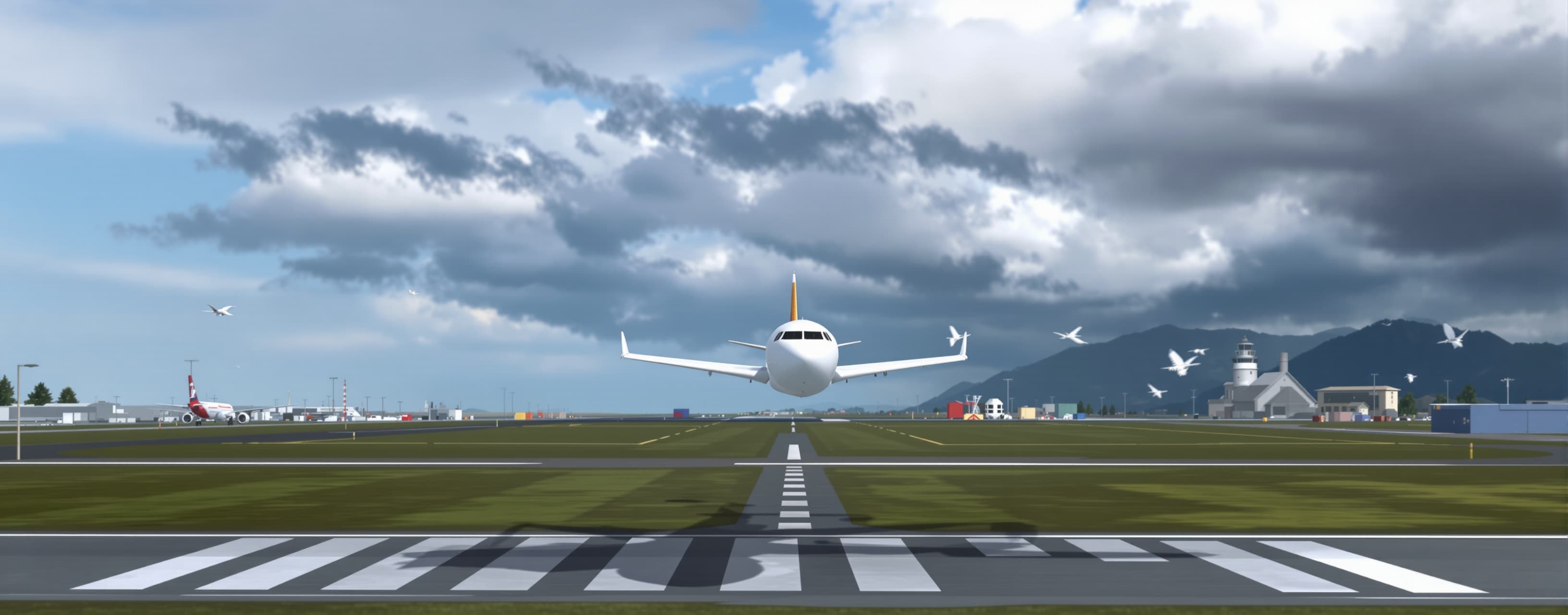
Landing Simulator
Evaluate how effectively different AI models can design and implement a polished, single-page 3D airliner landing simulator. Compare flight physics, aircraft controls, weather effects, graphics, usability, performance, reliability, and the accuracy of the landing-scoring system. The strongest response should deliver a complete, playable `index.html` with no placeholders or non-functional features.
Prompt
You are an expert web-game development team consisting of a game engineer, flight-physics specialist, UX designer, 3D artist, and sound designer. Your task is to create a complete browser game that simulates landing a modern Boeing-inspired commercial airliner on an airport runway. The objective is to achieve the smoothest and safest possible landing under changing weather conditions. ## Final Deliverable Create the entire game in a single file named `index.html`. It must: - Run directly in a modern desktop browser. - Require no backend server or build process. - Contain all custom HTML, CSS, and JavaScript in the same file. - Be a genuinely playable game—not a static image, mockup, or theoretical demonstration. - Use public CDN-hosted libraries and assets when necessary. - Remain functional if an optional external asset fails to load. Return only the complete code inside one code block. Do not omit sections, use placeholders, or write phrases such as “add your code here.” ## Recommended Technology Choose the best practical technology stack that satisfies the single-file requirement: - `Three.js` for 3D rendering. - `Rapier.js`, `Cannon-es`, or a suitable custom physics model. - Web Audio API for dynamic sound. - Carefully optimized post-processing such as bloom, tone mapping, antialiasing, color grading, and atmospheric effects. - Procedural geometry, lighting, and textures or stable, freely accessible CDN assets. - ES Modules with reliable CDN URLs. - Well-organized classes and systems within the single HTML file. Avoid React or frameworks requiring a build process unless they can run reliably from the standalone file. Prioritize stability, visual quality, loading speed, and smooth frame rates. ## Core Gameplay Start each round with the aircraft established on final approach. The player must control: - Pitch. - Roll. - Yaw and rudder. - Engine throttle. - Flaps. - Speed brakes and spoilers. - Landing gear. - Wheel brakes after touchdown. - Crosswind correction. - Go-around before the point of no return. Provide keyboard controls, plus optional mouse, touch, and gamepad support. Display a short and clear tutorial before the first round, with an option to dismiss it. ## Flight Physics Implement a convincing, semi-realistic flight model that includes: - Lift, drag, weight, thrust, momentum, and rotational inertia. - Lift and drag changes based on airspeed, angle of attack, and flap position. - Progressive stall behavior. - Ground effect near the runway. - Headwinds, tailwinds, crosswinds, gusts, and turbulence. - Reduced braking and tire grip on wet or snowy runways. - Independent contact for the main and nose landing gear. - Landing-gear suspension and shock absorption. - Aircraft bouncing after a hard landing. - Tail-strike and wing-strike risks. - Runway excursions and loss of directional control. - Ground braking and steering. Do not make the aircraft behave like a generic rigid body. The player should clearly feel aerodynamic forces and crosswind effects. Use physically meaningful units such as metres per second internally, while displaying knots, feet, and feet per minute where appropriate. Run physics on a fixed timestep independent of the visual frame rate. ## Landing Success and Failure A landing is successful when: - The main landing gear touches down before the nose gear. - The aircraft touches down within the runway boundaries. - Touchdown occurs inside an acceptable landing zone. - Vertical speed, bank angle, pitch, and airspeed remain within safe limits. - The aircraft stays under control until it slows to a safe taxi speed. The round fails if the aircraft crashes, lands outside the runway, overruns the runway, rolls over, experiences a severe tail or wing strike, or loses control. ## Scoring System Calculate a score out of 1,000 points, with a visible breakdown such as: - 300 points for touchdown vertical speed and smoothness. - 200 points for proximity to the runway centreline. - 150 points for touchdown inside the target landing zone. - 120 points for correct approach speed. - 100 points for a low bank angle at touchdown. - 80 points for correct alignment with the runway. - 50 points for directional control during rollout. Apply penalties for: - Bouncing. - Nose-wheel-first touchdown. - Excessive runway deviation. - Tail strike. - Wing strike. - Unsafe configuration. - Runway overrun. - Loss of control. Display: - Touchdown vertical speed in feet per minute. - Final score and detailed breakdown. - A landing rating such as Perfect, Butter Smooth, Safe, Firm, Hard, Dangerous, or Crash. - A short explanation of exactly why the player received that result. - The best score saved locally using `localStorage`. - A “Retry Same Weather” button. - A “New Random Challenge” button. ## Weather and Scenarios Provide selectable or randomized scenarios: - Clear daytime. - Sunset. - Night with full runway lighting. - Rain with crosswind. - Low-visibility fog. - Thunderstorm with strong gusts. - Dry, wet, and snow-covered runways. Each scenario must affect both visuals and physics. Do not implement weather as a simple sky-color change. Add three difficulty levels that modify: - Strength of assists. - Wind and gust intensity. - Control sensitivity. - Damage tolerance. - Approach stability. - HUD guidance. ## Graphics and Environment Create an attractive 3D scene featuring: - A detailed large passenger aircraft, as far as performance permits. - A realistic runway with threshold bars, runway numbers, centreline markings, touchdown-zone markings, and edge lights. - Approach lighting. - Functional PAPI lights that change according to the aircraft’s glide path. - A simplified airport with buildings, light towers, taxiways, and distant terrain. - Dynamic sky, clouds, fog, rain, or snow. - Cinematic lighting and shadows. - Suitable wet-runway reflections. - Tire smoke and friction effects on touchdown. - Subtle camera shake during turbulence and hard landings. If an external aircraft model or texture cannot load, generate a recognizable procedural airliner and airport scene so the game remains playable. ## Cameras and Audio Provide: - A playable chase camera. - A cockpit camera. - A cinematic side camera. - A short landing replay after the round, if practical. - A clear camera-switch control. Add dynamic audio for: - Engines responding to throttle. - Wind. - Rain. - Tire contact and friction. - Hard touchdown impact. - Stall warning. - “Sink Rate” warning. - Success and failure feedback. Include a mute button. Audio must begin only after user interaction to comply with browser autoplay restrictions. ## User Interface Create a professional, readable HUD displaying: - Airspeed in knots. - Altitude in feet. - Vertical speed in feet per minute. - Heading. - Throttle position. - Flap setting. - Landing-gear status. - Wind direction and speed. - Runway-centreline deviation. - Glide-path deviation. - Distance to the runway. - Stall, overspeed, sink-rate, and terrain warnings. Also provide: - Start screen. - Weather and difficulty selection. - Pause mode. - Results screen. - Best-score display. - Controls and tutorial screen. - Responsive layout for desktop and mobile. - Touch controls on mobile devices. ## Performance and Reliability - Target 60 FPS on a mid-range device. - Use instancing, level of detail, object pooling, and adaptive particle counts where appropriate. - Avoid unnecessary object allocation inside the main animation loop. - Handle screen resizing and loss of focus correctly. - Prevent duplicate render loops and event listeners after restarting. - Avoid JavaScript errors and unnecessary console output. - Include a loading screen with visible progress. - Ensure a network failure does not leave the page blank. - Make all controls, collisions, scoring, audio, restart functions, and saved scores genuinely operational. ## Acceptance Criteria Before returning the result, review and test it as if performing a manual quality-assurance pass. Confirm that: 1. The file loads correctly and the game starts. 2. The aircraft is controllable and can be landed. 3. The runway is clearly visible and reachable. 4. Collision detection distinguishes the runway from surrounding terrain. 5. The score genuinely reflects landing quality. 6. Weather affects flight handling and stopping distance. 7. Restarting does not duplicate animation loops or event handlers. 8. The interface does not obstruct critical gameplay elements. 9. The game remains playable if external models fail to load. 10. There are no decorative-only controls or non-functional buttons. 11. The experience works at common desktop resolutions and remains usable on mobile. 12. The final output contains no placeholders or missing sections. When complete realism conflicts with enjoyable gameplay or the limitations of a single HTML file, choose a stable, convincing, semi-realistic solution. Document important technical assumptions only through concise comments inside the code. Begin now and output only the complete `index.html` file.
A system prompt was added to support web rendering
 Anthropic
 Z AI
Z AI OpenAI
 Kimi
Kimi