Koding
Brbeb
Prompt
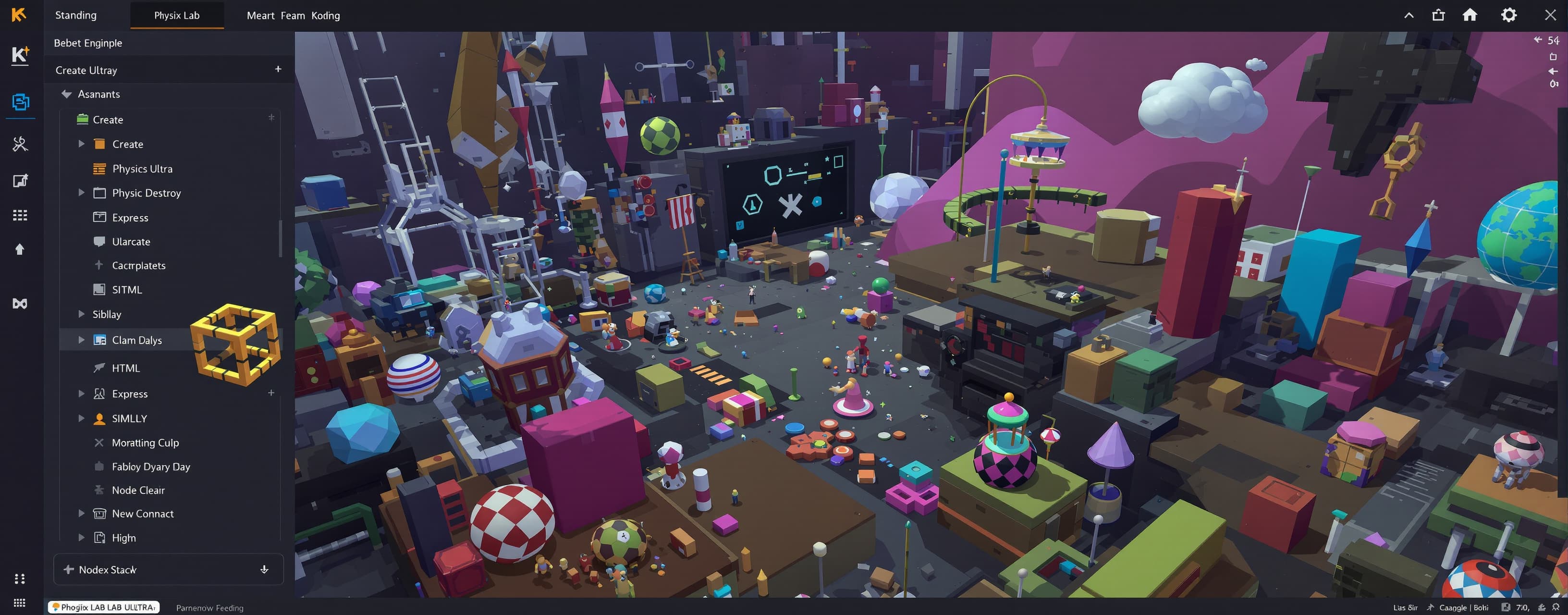
You are an elite game-engine engineer, graphics engineer, physics programmer, full-stack engineer, UI/UX designer, interaction designer, motion designer, performance engineer, technical artist, and QA engineer. Your job is to BUILD the application, not merely describe it. PROJECT Build PHYSIX LAB ULTRA: A premium browser-based physics sandbox and mini game-engine environment running locally at http://localhost:3000. PRIMARY GOAL Create a real interactive physics editor that feels like a compact professional physics playground, creator tool, and experimentation lab. The user must be able to: CREATE → BUILD → SIMULATE → DESTROY → INSPECT → REPLAY → MODIFY → BUILD AGAIN TECH STACK Use a practical local web stack: - Node.js - Express - HTML - CSS - JavaScript You may use a lightweight physics/rendering library only when it provides meaningful advantage. Do not add dependencies without clear value. The app must run with: npm install npm start The "/" route must serve the actual PHYSIX LAB application. Never return JSON at "/". Never expose a "Cannot GET /" state. ABSOLUTE REQUIREMENTS - Build the application, not a concept. - Provide complete working files. - Do not omit code with ellipses. - Do not use TODO placeholders. - Do not give pseudo-code. - Do not leave major features fake or nonfunctional. - If a feature is too advanced, implement the best lightweight functional approximation. - Never expose secrets. - Never trust unsanitized user HTML. - Never allow arbitrary filesystem traversal. - Never blindly evaluate imported code. PRODUCT PHILOSOPHY This is not a landing page, SaaS dashboard, chatbot, or static demo. It must feel like a real physics editor and simulation lab. Every major system should interact with the others. DESIGN DIRECTION Visual style: - dark sophisticated base - subtle indigo, violet, and blue accents - careful glass panels - high-quality typography - strong hierarchy - restrained gradients - subtle borders - depth - professional editor aesthetic - cinematic but functional Avoid: - generic SaaS look - crypto visuals - AI chatbot style - neon gaming template - over-decorated concept art LAYOUT Desktop layout: - top bar - left toolbar / hierarchy - center simulation viewport - right inspector / properties - bottom timeline / simulation controls Mobile layout: - fully usable, not just scaled down - bottom sheets - collapsible panels - floating tool buttons - contextual inspector - touch-friendly controls - no horizontal overflow MOTION SYSTEM Create a coherent motion system: - fast - smooth - responsive - purposeful - physically plausible - respect prefers-reduced-motion Animate only what benefits from motion: - panel open/close - modal entrance - toolbar selection - object selection - tabs - dropdowns - notifications - inspector transitions - tool switching - scene transitions Use appropriate easing. Never let animation interfere with physics simulation. Prefer transform and opacity for UI motion. SIMULATION VIEWPORT The viewport is the heart of the app. Support: - pan - zoom - select - drag - rotate - scale - multi-select - camera movement - grid - snapping - selection outline - transform gizmos - coordinate display Add togglable overlays: - grid - axes - origin - bounds - velocity vectors - force vectors - joints - contact points - FPS - physics tick rate - object count - particle count OBJECT SYSTEM Support: - Box - Circle - Sphere-style visual object - Polygon - Beam - Wall - Ramp - Wheel - Platform - Target - Custom compound object Object properties: - position - rotation - scale - mass - friction - restitution - gravity scale - velocity - angular velocity - material - collision state - static/dynamic state ENTITY SYSTEM Implement an extensible entity architecture with built-in entities: - Human-style ragdoll - Dummy - Robot - Creature - Animal-style test entity - Target - Vehicle - Custom entity Use a component-style design where practical: - Transform - Rigidbody - Collider - Health - Damage - AI - Joint - Vehicle - Sensor - Interaction - Material Include: - Entity Spawner - Entity Editor - save custom entity presets PHYSICS SYSTEM Include: - gravity - collision - friction - restitution - mass - momentum - velocity - acceleration - force - impulse - torque - angular velocity - constraints - joints - springs - ropes - motors Allow simulation parameter editing. MATERIAL SYSTEM Create materials: - Metal - Wood - Rubber - Ice - Concrete - Plastic - Glass-like visual material Materials must influence physics where appropriate. Allow custom material parameters. BUILDING TOOLS Provide: - spawn - move - rotate - scale - clone - delete - freeze - weld - detach - duplicate - multi-select Also include: - grid snapping - angle snapping - alignment - distribution - grouping - undo - redo CONSTRAINT SYSTEM Support: - hinge - slider - spring - rope - fixed/weld - motor - gear-like relationships - piston-like mechanisms Constraints must be visible and editable. DESTRUCTION SYSTEM Support lightweight believable destruction: - breakable objects - impact damage - structural failure - fragments - debris - explosion force - chain reactions - stress visualization Use actual physics interactions where practical. If fracture simulation is too expensive, use a deterministic approximation. VEHICLE LAB Create a vehicle system with: - chassis - wheels - steering - acceleration - braking - friction - suspension-like behavior - wheel rotation - drifting - crash behavior Include a vehicle builder. Vehicles must interact with ramps, terrain, objects, entities, and destructible structures. TOOLS Create a professional tool system: - Grab - Spawn - Delete - Freeze - Clone - Force Tool - Gravity Tool - Magnet Tool - Measure Tool - Weld Tool - Detach Tool Each tool should have contextual controls. Example: Force Tool: - strength - radius - direction Gravity Tool: - strength - radius - falloff ENVIRONMENT SYSTEM Allow: - terrain - slopes - ramps - platforms - gravity zones - wind zones - magnetic zones - water zones - moving platforms Environment parameters must be editable. PARTICLE / ELEMENT SYSTEM Add lightweight visual simulation for: - water - sand - smoke - steam - fire - snow - dust - debris Prioritize performance. The app must stay usable on mobile devices. RAGDOLL SYSTEM Create a configurable ragdoll with joints: - limbs - joints - mass - collision - gravity - external forces - basic balance behavior SCIENCE INSPECTOR When selecting an object/entity, show live values: - Position - Rotation - Velocity - Angular Velocity - Mass - Force - Friction - Restitution - Gravity - Energy - Collision - Material DEBUG MODE Toggle: - collision shapes - velocity vectors - force vectors - joints - center of mass - contact points - FPS - physics tick rate - object count - particle count TIME SYSTEM Simulation controls: - Play - Pause - Reset - Slow Motion - Time Scale - Frame Step Add a timeline. Allow lightweight replay recording when possible. Replay should be deterministic when possible. CAMERA SYSTEM Support: - free camera - follow selected object - follow entity - orbit - zoom - cinematic camera - impact camera Add subtle camera shake for major impacts. Camera effects must be toggleable. CHALLENGE MODE Create optional challenges: - bridge stress test - target destruction - vehicle time trial - projectile challenge - domino challenge - construction challenge - survival-style physics challenge - destruction challenge Include: - timer - score - objective - result screen - medals - local high scores EXPERIMENT LAB Provide presets: - gravity experiment - projectile experiment - collision experiment - friction experiment - pendulum - spring - bridge stress - vehicle crash - orbit experiment - planetary gravity Each experiment should include a brief objective. CHAOS MODE Add a special Chaos Mode that safely increases simulation intensity: - unusual gravity - stronger forces - random spawns - moving objects - environmental effects - chain reactions Keep it exciting without freezing the browser. Include a clear reset button. SPECIAL SIMULATIONS Add optional simplified simulations: - gravity well - black-hole-style attraction - rocket launch - orbital motion - asteroid collision - planet gravity - projectile trajectory AI PHYSICS BUILDER Design the architecture for future AI integration. Example command: “Build a bridge with two supports and eight beams.” If no AI API is configured: - do not fake an AI response - provide a local fallback for a small set of predefined commands if practical SCENE SYSTEM Implement: - new scene - save - load - autosave - reset - duplicate - rename - delete - import - export Use a structured format such as JSON. Save enough state to reconstruct the simulation. HIERARCHY Create an object hierarchy panel: Scene ├── Environment ├── Building │ ├── Beam01 │ ├── Beam02 │ └── Support ├── Vehicle01 ├── Ragdoll01 └── Target01 Selecting an item selects the corresponding object. ASSET / PRESET LIBRARY Create a library containing: - objects - entities - vehicles - materials - experiments - mechanisms Allow quick spawning from presets. COMMAND PALETTE Add a command palette similar to professional creative tools. Example commands: - Create Box - Create Vehicle - Spawn Ragdoll - Toggle Grid - Toggle Debug - Save Scene - Load Scene - Reset Simulation - Enter Chaos Mode Support keyboard shortcuts on desktop. PERFORMANCE Performance is first-class. Target smooth interaction on: - desktop - mid-range laptop - Android phone Avoid: - unnecessary DOM updates - expensive effects - huge particle counts - memory leaks - excessive event listeners - unnecessary network requests Use requestAnimationFrame appropriately. Separate simulation updates from UI updates where practical. Reduce visual effects automatically when performance drops if safe. MOBILE EXPERIENCE Do not treat mobile as an afterthought. Support touch controls for: - pan - zoom - select - drag - rotate - tool interaction Use bottom sheets for inspectors. Make controls large enough for touch but not oversized. Support common widths from 320px upward with no horizontal overflow. ACCESSIBILITY Include: - keyboard navigation - visible focus - semantic controls - accessible labels - sufficient contrast - reduced motion - readable text ERROR HANDLING Handle: - invalid scene - corrupted save - invalid object data - server failure - missing resource - unsupported browser feature - unexpected simulation state Never let one broken object crash the app. Show useful errors. ARCHITECTURE Separate modules for: - Renderer - Physics - Entities - Objects - Scene - Tools - UI - Storage - API - Challenges - Experiments - Utilities The architecture must support future systems without rewriting the core. VISUAL POLISH Invest heavily in small details: - spacing - radius - shadows - selected states - hover states - pressed states - disabled states - dialogs - tooltips - panel transitions - empty states - loading states Professional over flashy. NO FAKE FUNCTIONALITY Every visible major control must either: 1. actually work, or 2. clearly indicate a missing capability. Never create fake buttons that do nothing. Never claim physics behavior that is not implemented. SELF-TEST BEFORE OUTPUT Internally audit: - npm install works - npm start works - localhost:3000 works - "/" serves the application - API routes work - server does not crash - panels open and close - dialogs work - buttons work - forms work - responsive layout works - touch interaction works - objects spawn - objects move - collision works - gravity works - tools work - entities work - scene reset works - save/load works - no syntax errors - no broken asset paths - no undefined core functions - no accidental infinite loops - no obvious memory leaks - no placeholder core functionality If something fails, fix it before final output. OUTPUT RULE Do not spend the response explaining the project. Build first. Return: 1. project structure 2. complete files 3. installation commands 4. start command Do not omit code. Do not use TODO. Do not use pseudo-code. Do not say “implement later.” Optimize for: REAL FUNCTIONALITY + UX + PERFORMANCE + POLISH + EXTENSIBILITY.

Response not available