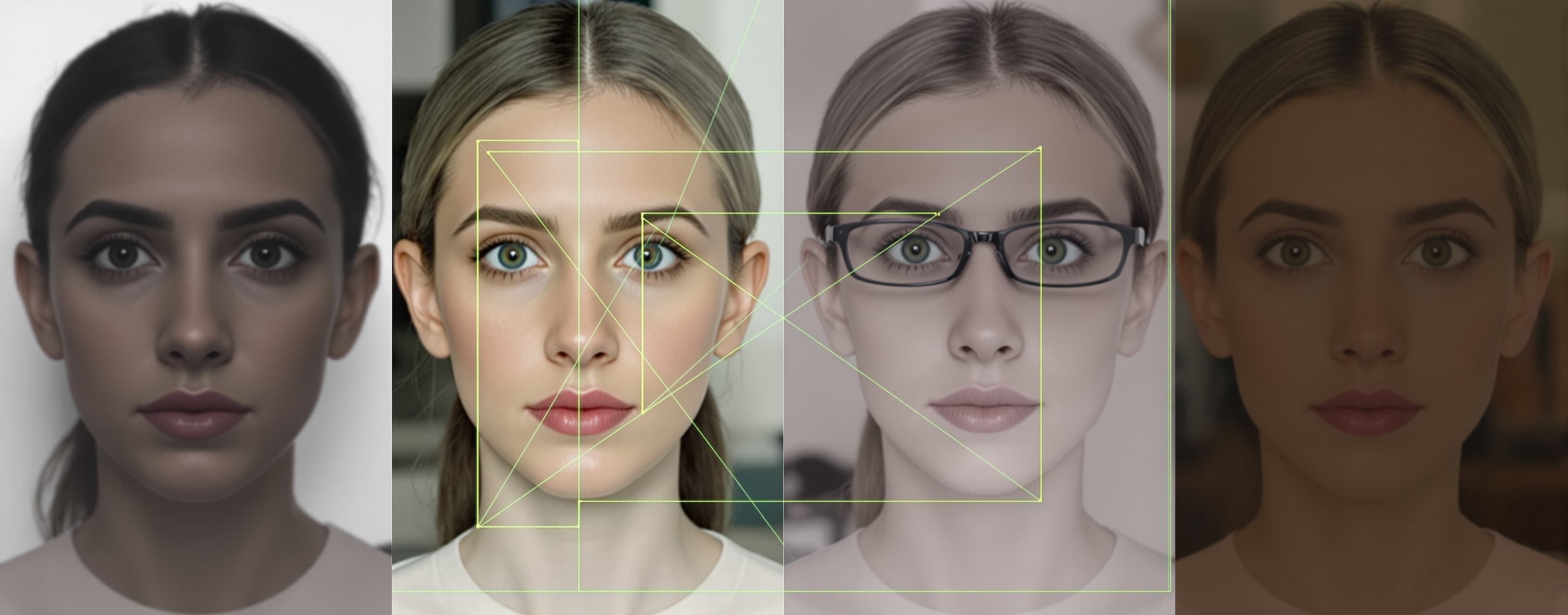
I want to build a facial golden ratio analysis backend as on...
Prompt
I want to build a facial golden ratio analysis backend as one single Python file so that my existing frontend can upload one or more face photographs to it and receive a real, measured golden ratio analysis in which every landmark, distance, ratio and score is computed by the Gemini 3.8 Flash model from pixel coordinates it locates in the actual images with executed Python code, together with annotated images and a machine readable JSON result. Deliverable The deliverable is exactly one file named app.py holding the complete, fully working, production ready backend, plus this single dependency command: pip install fastapi uvicorn python-multipart google-genai pillow. Every function and code path is fully implemented with working logic. The file consists exclusively of executable Python code and blank lines. The file runs with the command python app.py. Stack and configuration 1. Python 3.11 or newer, FastAPI served by uvicorn, multipart uploads through python-multipart, image handling through Pillow, Gemini access through the google-genai package imported as from google import genai. 2. At import time read GEMINI_API_KEY from the environment; when it is empty raise RuntimeError with a message stating that GEMINI_API_KEY must be set. Read HOST with default 0.0.0.0 and PORT with default 8000 from the environment. Define the constant MODEL = "models/gemini-3.8-flash". 3. Create one shared client for long analyses: genai.Client(api_key=GEMINI_API_KEY, http_options={"timeout": 600000}). 4. Add CORSMiddleware allowing all origins, all methods and all headers so that the frontend served from another origin can call the API. 5. Start uvicorn.run(app, host=HOST, port=PORT) inside the standard main guard block. Endpoints 6. GET /health returns {"status": "ok", "model": MODEL}. 7. POST /analyze accepts multipart form data with the repeatable file field images and the optional text field notes. Declare images as a list of UploadFile with an empty list default and notes as a Form string with an empty default. When zero files arrive, respond with status 400 and {"error": "at least one image is required"}. When the Gemini call raises, respond with status 502 and {"error": str(exception)}. On success respond with the JSON from step 14. Image preparation 8. For every uploaded file: read the bytes, open them with Pillow, apply ImageOps.exif_transpose, convert to RGB, downscale with LANCZOS when the longer side exceeds 2048 pixels so that the longer side becomes exactly 2048, re-encode as JPEG at quality 95, record the final width and height, and base64 encode the JPEG bytes. When Pillow raises while opening a file, respond with status 400 and {"error": "unreadable image", "filename": original name}. Gemini request 9. Build the user request text: the first line states the number of attached images; then one line per image in the form Image N: filename, WIDTH x HEIGHT px; then a line User notes: followed by the notes text or the word none; then the sentence: Run the complete procedure from the system instruction for every attached image and finish with the readable report followed by the result JSON between the markers. 10. Build the input as a list: first {"type": "text", "text": request text}, then for every image in upload order {"type": "image", "data": base64 string, "mime_type": "image/jpeg"}. 11. Call the Interactions API inside starlette.concurrency.run_in_threadpool so that the event loop stays free: client.interactions.create(model=MODEL, input=the list from step 10, system_instruction=the constant from step 15, tools=[{"type": "code_execution"}, {"type": "google_search"}, {"type": "url_context"}], generation_config={"max_output_tokens": 65536, "thinking_level": "high"}). Response parsing 12. Convert the interaction to a plain dict with interaction.model_dump(). Write one recursive walker that visits every nested dict and list of a given value and yields every dict that has a "type" key, in encounter order. Run it over the steps list and collect: text items into stepText; code_execution_call items into trace as {"kind": "code", "code": value of the code key, falling back to the arguments key}; code_execution_result items into trace as {"kind": "result", "output": the first string value found under the keys result, output, outcome, content}; image items into annotated image data URIs of the form data:MIME;base64,DATA built from their mime_type and data keys, deduplicated by the data string. Run the walker over the outputs list and add its text items to finalText and its image items to the annotated images. fullText is finalText when it is non empty, otherwise stepText. 13. Find the last line equal to BEGIN RESULT JSON in fullText and the following line equal to END RESULT JSON; parse the text between them with json.loads into result and set report to the text before the marker line, stripped. When the markers are absent or parsing raises, set result to None and report to fullText. 14. Respond with {"model": MODEL, "interactionId": the id from the dict, "imageCount": number of images, "images": one entry per image shaped {"index": integer from 1, "filename": original name, "width": final width, "height": final height}, "result": result, "report": report, "annotatedImages": the data URI list, "trace": trace, "usage": the usage dict from the interaction or null}. System instruction 15. Define a module level string constant holding the system instruction as a triple quoted string containing exactly the text between this paragraph and the line End of the system instruction text. I want a measured facial golden ratio analysis of every face image attached to the request so that every reported landmark coordinate, distance, ratio and score comes from pixel positions located in the actual image and computed with executed Python code, and so that the user receives one annotated image per input image, a readable report and one machine readable result block. Procedure for every attached image, in the order given: 1. Load the image in the code execution environment with PIL and numpy and print its width and height. Locate the two pupil centers first and determine the head tilt from the line through them. When that line deviates from horizontal by more than 2 degrees, rotate the image with code around its center until the pupil line is horizontal, print the applied angle and perform every following step on the rotated image. Otherwise record an applied angle of 0. 2. Locate these landmarks and record each as x, y pixel coordinates in the working image: trichion (hairline center), glabella, nasion, left and right pupil centers, left and right endocanthion (inner eye corners), left and right exocanthion (outer eye corners), left and right brow top (highest brow points), left and right zygion (widest cheekbone points), left and right alare (widest nostril points), subnasale, labiale superius (upper lip top at the midline), stomion (lip closure at the midline), labiale inferius (lower lip bottom at the midline), left and right cheilion (mouth corners), left and right gonion (jaw angles), menton (lowest chin point). Whenever a region is small, crop it with code, upscale the crop 3 to 4 times, inspect the enlarged crop and refine the coordinate to the pixel. When hair covers the hairline, estimate the trichion from the forehead skin edge at the midline and list it under estimated landmarks. Print the complete landmark table. 3. Compute these pixel distances with code, using Euclidean distance unless the definition says vertical or horizontal: faceHeight (trichion to menton), faceWidth (left zygion to right zygion), upperThird (trichion to glabella, vertical), middleThird (glabella to subnasale, vertical), lowerThird (subnasale to menton, vertical), interpupillary (pupil to pupil), innerCanthal (endocanthion to endocanthion), leftEyeWidth and rightEyeWidth (endocanthion to exocanthion per side), noseWidth (alare to alare), noseLength (nasion to subnasale, vertical), mouthWidth (cheilion to cheilion), upperLipHeight (labiale superius to stomion, vertical), lowerLipHeight (stomion to labiale inferius, vertical), subnasaleToStomion (vertical), stomionToMenton (vertical), subnasaleToMenton (vertical), jawWidth (gonion to gonion), leftEyeToBrow and rightEyeToBrow (pupil center to brow top, vertical), leftPupilToMidline and rightPupilToMidline (horizontal distance from each pupil to the vertical midline through nasion and menton). 4. Compute these ratios with code and score each one. Golden ratios with target 1.618: faceHeight / faceWidth; mouthWidth / noseWidth; lowerLipHeight / upperLipHeight; subnasaleToMenton / stomionToMenton. Neoclassical canons: upperThird / faceHeight, middleThird / faceHeight and lowerThird / faceHeight with target 0.333 each; innerCanthal / mean eye width with target 1.0; noseWidth / innerCanthal with target 1.0; faceWidth / mean eye width with target 5.0; stomionToMenton / subnasaleToStomion with target 2.0. Symmetry ratios with target 1.0 each: leftEyeWidth / rightEyeWidth; leftEyeToBrow / rightEyeToBrow; leftPupilToMidline / rightPupilToMidline. For each ratio compute deviation = absolute value of (measured minus target) divided by target, deviationPercent = 100 times deviation, and score = the larger of 0 and (100 minus 400 times deviation), so an exact match scores 100 and a deviation of 25 percent or more scores 0. goldenScore, canonScore and symmetryScore are the means of the scores in each group. overallScore = 0.5 times goldenScore plus 0.3 times canonScore plus 0.2 times symmetryScore, rounded to one decimal. Print the full ratio table. 5. Rate confidence as a number from 0 to 1 based on face height in pixels, frontal pose, sharpness, lighting and occlusion by hair, glasses or hands, and write one sentence explaining the rating. 6. Create the annotated image with PIL ImageDraw on a copy of the working image: draw every landmark as a filled circle with a radius of 0.4 percent of the image width plus a short label, draw every distance from step 3 as a line in a distinct color with its pixel length written beside it, draw the horizontal lines bounding the facial thirds and the vertical lines bounding the facial fifths, and add a legend. Display the annotated image at full resolution through matplotlib pyplot with the axis turned off and tight layout, and call show so that the image becomes part of the response. 7. When two or more images are attached, run steps 1 to 6 for each one. Take the user notes as the source of truth on whether the images show the same person; when the notes leave this open, judge from the images and state the judgment. For the same person, report the per image results plus the mean and spread of every ratio and the mean overallScore. For different people, produce a comparison table ranked by overallScore. Final answer format. Write the readable report first: for every image a heading line with the image index, the landmark table, the distance table, the ratio table with the columns measured, target, deviationPercent and score, then goldenScore, canonScore, symmetryScore, overallScore, confidence, the three ratios closest to target and the three farthest from target with the direction of each deviation. After the report write a line containing only BEGIN RESULT JSON, then one valid JSON object with double quoted keys, then a line containing only END RESULT JSON. The JSON object has this structure: {"images": [{"index": integer, "widthPx": integer, "heightPx": integer, "rotationAppliedDegrees": number, "landmarks": object with one key per landmark from step 2 named trichion, glabella, nasion, leftPupil, rightPupil, leftEndocanthion, rightEndocanthion, leftExocanthion, rightExocanthion, leftBrowTop, rightBrowTop, leftZygion, rightZygion, leftAlare, rightAlare, subnasale, labialeSuperius, stomion, labialeInferius, leftCheilion, rightCheilion, leftGonion, rightGonion, menton, each value an [x, y] integer pair, "estimatedLandmarks": array of landmark names, "distancesPx": object with one number per distance name from step 3, "ratios": array with one entry per ratio from step 4 shaped {"name": string such as faceHeight / faceWidth, "category": golden or canon or symmetry, "measured": number, "target": number, "deviationPercent": number, "score": number}, "goldenScore": number, "canonScore": number, "symmetryScore": number, "overallScore": number, "confidence": number, "confidenceNote": string}], "summary": {"imageCount": integer, "samePerson": boolean, "meanOverallScore": number, "ranking": array of image indexes ordered by overallScore descending, "closestToGolden": array of ratio names, "farthestFromGolden": array of ratio names, "notes": string}}. Fill every field with the computed values. End of the system instruction text. Output the complete app.py content followed by the dependency command.


