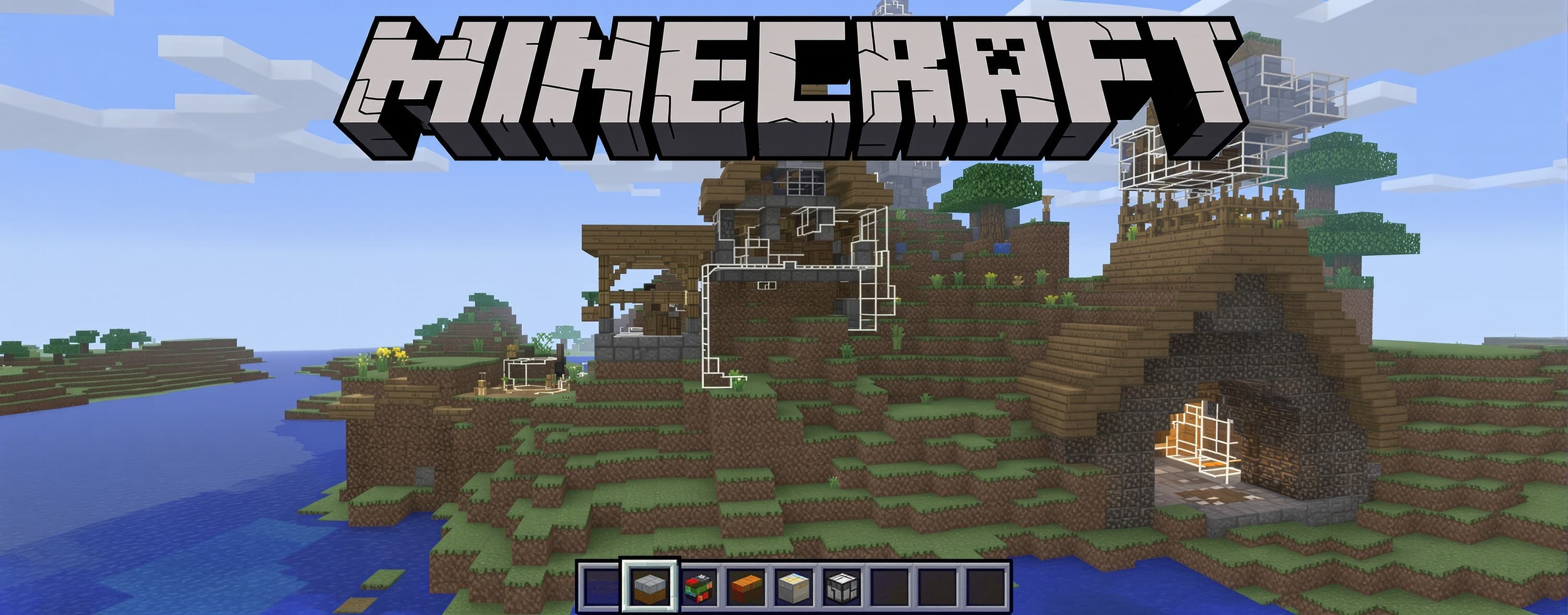
Minecraft
Prompt
Act as an expert Three.js/WebGL mobile game developer. The existing 3D voxel survival game is ALREADY WORKING. Do NOT rebuild it. Modify the existing index.html, preserve working systems, and fix bugs first. Use the attached gameplay video/images as visual and UX reference. Keep everything original; do not copy Minecraft copyrighted assets, textures, sounds, characters or branding. TECH: Single index.html using HTML5/CSS3/JavaScript/Three.js. Mobile-first, browser playable, no React/Vue/npm/backend/database. Three.js CDN allowed. 1. CRITICAL BUG FIXES VOXEL TARGETING: - Accurate raycasting; target exactly one block. - Outline must perfectly fit the block and remain small/constant thickness. - Never become huge at close range. - Hide when nothing is targeted. - Interaction range 5–6 blocks. - Target popup must not overlap crosshair/hotbar. CAMERA + PLAYER: - No camera clipping through blocks. - No walking through solid blocks. - No falling through terrain or getting stuck. - Smooth camera. - Vertical look limit ±85°. - Stable gravity and voxel collision. BREAKING: - Correct mining progress and block-specific break time. - Crack/shake effect and particles. - Correct tools mine faster. - Sound + optional haptic. - Never break the wrong block. PLACEMENT: - Place only on the adjacent face of the selected block. - Never place inside player. - Correct voxel coordinates. - Add placement preview, particles, sound and optional haptic. HAND/TOOL: - Fix clipping. - Keep first-person tool lower-right. - Never cover crosshair. - Add subtle idle, mining and placement animations. 2. PREMIUM MOBILE HUD Remove debug data such as coordinates, draw calls and development overlays. HUD: Top-left: Health + Hunger Top-center: Day/Night + time Top-right: Inventory + Pause Center: small crosshair When targeting a block, show compact: BLOCK NAME + mining progress No UI overlap. Respect phone safe areas/notches. 3. MOBILE CONTROLS Keep existing controls but improve them. Bottom-left: virtual joystick. Bottom-right: Jump / Sprint / Mine / Place. Support multitouch, camera touch separation, press animation, optional haptic and no browser scrolling/gestures. Add camera sensitivity setting. 4. HOTBAR + INVENTORY Polished 9-slot hotbar with item icon, quantity and selected-slot highlight. Show item name briefly when switching. Inventory: 27 slots, stackable items, tap selection, move/split/drop items and categories. Never allow negative quantities or item duplication. 5. SURVIVAL Player stats: Health, Hunger, XP, Level, Sprint, Jump, Gravity, Collision. Hunger decreases over time. Low hunger disables regeneration. Zero hunger causes gradual damage. Food: Apple, Bread, Carrot, Cooked Meat. Eating gives animation, sound and optional haptic. 6. TOOLS + CRAFTING Tools: Wood/Stone Pickaxe Wood/Stone Axe Wood/Stone Sword Add durability. Craft: Planks, Sticks, Crafting Table, Pickaxes, Axes, Swords, Torch, Furnace, Chest and basic food. Crafting must correctly consume ingredients. 7. CHEST + FURNACE Chest: place/open, 27 storage slots, store/remove items and save contents. Furnace: input, fuel, output, progress, burning animation and simple recipes such as Ore + Coal → Ingot. 8. WORLD Preserve existing procedural world. Blocks: Grass, Dirt, Stone, Sand, Wood, Leaves, Water, Ores, Glass, Planks, Bricks, Torches, Crops. Terrain: Plains, hills, mountains, forests, valleys, rivers, lakes, caves and villages. Fix floating terrain/trees, chunk seams, structure intersections and repetitive generation. Use chunk loading and render nearby chunks only. 9. VILLAGES + CREATURES Villages contain houses, roads, farms, wells, lamps, fences and storage. Original voxel villagers: wander, idle and avoid obstacles. Animals: Cow, Sheep, Pig, Chicken. Add original nighttime enemies that spawn in darkness, follow/attack player, take damage, have health and drop loot. Do not copy Minecraft mob designs. 10. FARMING Farmland + seeds + planting + growth stages + harvesting + replanting. Crops: Wheat, Carrot, Potato. Save crop state. 11. DAY/NIGHT + WEATHER Smooth day, sunset and night cycle with changing lighting/sky. Night: moon, stars, darker environment and enemy spawning. Optional lightweight rain with particles, darker atmosphere and sound. 12. QUESTS + XP Quests: Collect 10 Wood Mine 20 Stone Craft a Pickaxe Build a Shelter Survive the Night Give XP/rewards. XP from mining, crafting, farming, combat and quests. Achievements: First Block, First Tool, First Night, Miner, Builder, Farmer, Explorer, Survivor. Show unlock notifications and save progress. 13. MINIMAP Optional lightweight minimap showing player, village, water and nearby important locations. Add ON/OFF setting. 14. SAVE SYSTEM Use localStorage. Save: world seed, player position, health, hunger, inventory, hotbar, time, modified blocks, chests, crops, XP/level, quests and achievements. Autosave every 30 seconds, on pause and visibility change. Do not corrupt existing saves. 15. UI + SETTINGS Premium dark translucent voxel UI. Menu: PLAY / NEW WORLD / LOAD WORLD / SETTINGS Pause: RESUME / INVENTORY / CRAFT / SETTINGS / SAVE / EXIT Settings: Graphics Low/Medium/High Render Distance Sensitivity Music ON/OFF SFX ON/OFF Haptic ON/OFF Minimap ON/OFF FPS ON/OFF Invert Y 16. VISUAL POLISH Match the reference mood: detailed voxel terrain, wooden/stone buildings, farms, forests, mountains, villages, blocky clouds, blue sky, soft lighting, fog and better water. Improve shadows/lighting without destroying mobile performance. 17. PERFORMANCE Target stable 60 FPS. Use chunk loading, shared geometries/materials, instancing where useful, frustum culling, object pooling, lightweight particles and efficient voxel collision. Avoid thousands of individual Mesh objects. 18. FINAL QA Before returning code, test: JavaScript errors, black screen, Three.js initialization, player collision, camera clipping, block targeting, placement coordinates, mining, inventory duplication, negative quantities, crafting, save/load, entities, terrain generation, chunk seams, UI overlap, joystick/multitouch and FPS/memory issues. No fake buttons or placeholder features. Every visible feature must work. DO NOT rebuild from scratch. Return the COMPLETE updated working index.html, not pseudocode.
 OpenAI
Response not available