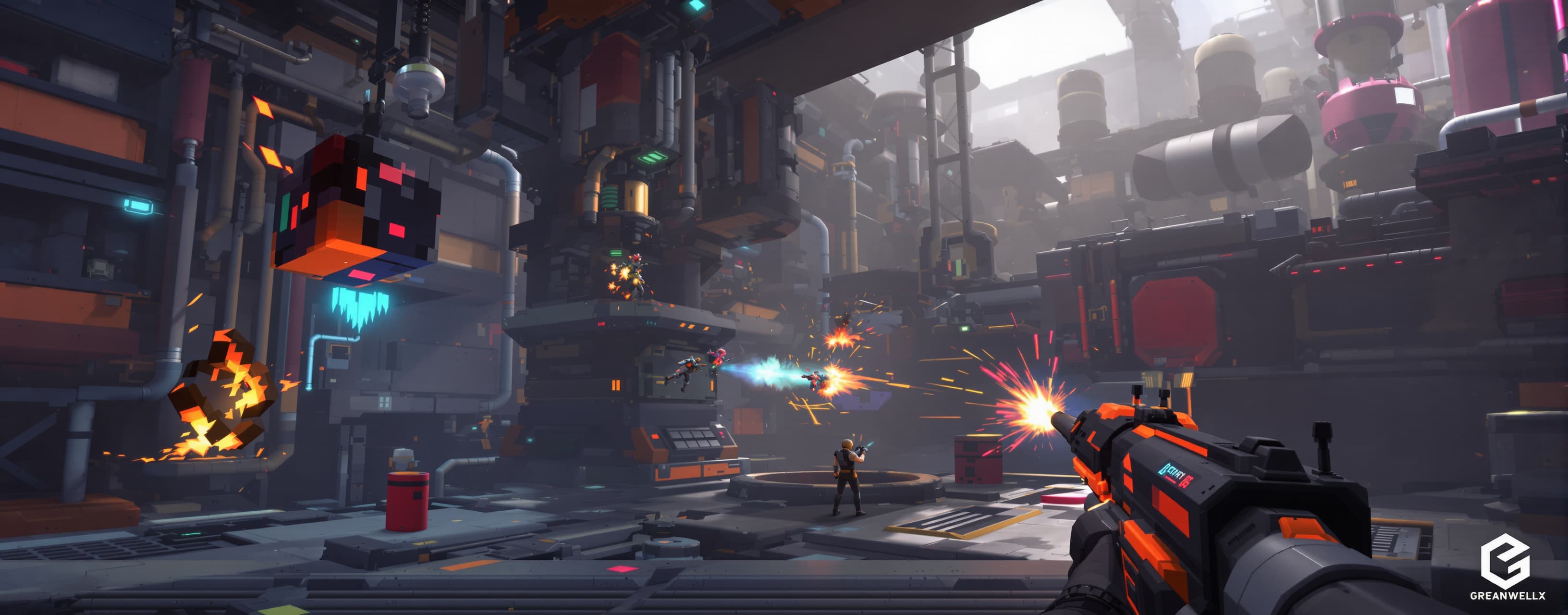
3dmax
3d
Prompt
Create a complete, playable AAA-style 3D mobile game using ONLY: - Babylon.js - Babylon Havok Physics - HTML5 / CSS / JavaScript - WebGL 2 - No React - No external game engine - No build step - Everything must run from a single HTML file GAME TITLE: "PROJECT: TITANFALL" CORE CONCEPT: A third-person sci-fi action survival game set inside a collapsing futuristic industrial facility. The player controls a combat android equipped with: - Energy rifle - Shoulder EMP launcher - Dash - Melee attack - Physics-based interaction The objective is to survive increasingly difficult enemy waves while navigating a destructible industrial arena. IMPORTANT: This must feel like a small AAA game, not a simple Three.js demo. ================================================== 1. ENGINE ================================================== Use Babylon.js as the rendering engine. Use Babylon Havok Physics for: - Rigid body physics - Dynamic crates - Explosive barrels - Physics debris - Projectile impacts - Knockback - Enemy ragdoll-like death reactions - Physics-based environmental interaction Initialize Havok correctly and asynchronously. Do NOT fake physics using only distance checks. Use actual Havok physics bodies wherever appropriate. ================================================== 2. MOBILE-FIRST DESIGN ================================================== The game MUST be designed for phones. Support: - Touchscreen - Multi-touch - Landscape orientation - Virtual left joystick for movement - Virtual right joystick for camera/aim - FIRE button - MELEE button - DASH button - EMP button - INTERACT button Controls must support simultaneous touches. Do NOT make the UI tiny. Add: - Responsive scaling - Safe-area support for phones with notches - Touch feedback - Button cooldown indicators - Optional vibration using navigator.vibrate() The game must remain playable at 30 FPS on mid-range Android hardware. Add a graphics settings menu: LOW MEDIUM HIGH LOW should aggressively reduce: - shadow resolution - particle count - physics debris - draw distance - post-processing - resolution scale ================================================== 3. GRAPHICS ================================================== Create a high-quality sci-fi environment. Scene: A huge futuristic industrial reactor facility. Include: - Metallic floors - Large reactor core - Pipes - Catwalks - Bridges - Concrete structures - Metal walls - Neon warning lights - Holographic panels - Industrial machinery - Ventilation systems - Energy conduits - Broken machinery - Crates - Explosive barrels - Dynamic debris Use procedural Babylon.js meshes where possible. Use PBR materials. Use realistic roughness/metallic variation. Add: - fog - atmospheric lighting - emissive materials - bloom only if performance allows - dynamic shadows - ambient lighting Do NOT use thousands of individual objects if instances can be used. Use: - thin instances - instances - shared materials - shared geometries where appropriate. ================================================== 4. PLAYER ================================================== Create a detailed futuristic combat android using procedural geometry. Player should have: - torso - head - arms - legs - armor plates - glowing energy core - backpack - weapon The character should visually resemble a premium sci-fi game character. Add animations procedurally if no external model is available: - idle - run - sprint - dash - shoot - melee - hit reaction - death The character must rotate naturally toward movement/aim direction. ================================================== 5. THIRD-PERSON CAMERA ================================================== Create a professional third-person camera. Features: - smooth follow - camera lag - adjustable distance - adjustable sensitivity - camera collision - camera obstruction handling - aim mode - slight camera shake when shooting - stronger camera shake during explosions - smooth FOV changes during dash Camera must NOT clip through walls. ================================================== 6. COMBAT ================================================== Implement responsive combat. PLAYER WEAPON: Energy rifle. Features: - projectile or raycast shooting - muzzle flash - projectile glow - impact particles - impact sound - recoil - hit reaction - damage numbers MELEE: Short-range energy blade. Features: - attack animation - hit detection - knockback - impact effects DASH: Fast movement burst. During dash: - temporary invulnerability - motion trail - FOV increase - camera shake - energy trail EMP: Creates a large physics-aware shockwave. Effects: - damages enemies - slows enemies - pushes lightweight physics objects - disables certain machines temporarily - produces particles and lighting effects ================================================== 7. HAVOK PHYSICS ================================================== This is extremely important. Use Havok Physics meaningfully. Create dynamic objects: - crates - barrels - metal debris - small machinery - explosive containers When the player shoots an explosive barrel: 1. barrel receives impulse 2. barrel moves using Havok 3. explosion occurs 4. nearby physics objects receive impulses 5. nearby enemies receive knockback 6. debris flies outward 7. particles appear 8. camera shakes Implement reasonable physics layers/collision filters. Do NOT simulate every tiny particle using Havok. Only important gameplay objects should use physics. ================================================== 8. ENEMIES ================================================== Create at least FOUR enemy classes. 1. SCOUT Fast melee robot. 2. HEAVY Large armored robot with high HP. 3. SHOOTER Ranged enemy that keeps distance. 4. TANK Slow heavily armored enemy with powerful attacks. Each enemy needs: - health - movement - target selection - attack logic - hit reaction - death effect - knockback - different stats Enemies should use simple but convincing AI. Use distance checks and state machines. Example states: IDLE CHASE ATTACK RETREAT STUNNED DEAD Avoid extremely expensive AI calculations every frame. Use update intervals where appropriate. ================================================== 9. ENVIRONMENT INTERACTION ================================================== Make the environment feel alive. Examples: - doors open - warning lights flash - reactor rotates - pipes emit steam - machines move - alarms activate - energy conduits pulse - crates can be pushed - barrels can explode Create random ambient events: - electrical sparks - steam bursts - warning lights - distant explosions These should be lightweight. ================================================== 10. DESTRUCTION ================================================== Implement lightweight destruction. When an explosive barrel detonates: Create temporary debris pieces using pooled meshes. Debris should: - use Havok - receive explosion impulse - collide with environment - disappear after a few seconds Use object pooling. Never continuously create thousands of objects. ================================================== 11. PARTICLES ================================================== Create optimized Babylon.js particle systems. Effects: - muzzle flash - bullet impact - sparks - explosions - smoke - EMP shockwave - dash trail - enemy death - reactor energy Particle count must depend on graphics quality. LOW: minimal particles MEDIUM: moderate particles HIGH: full effects ================================================== 12. AUDIO ================================================== Use Web Audio API. Create procedural sound effects: - gunshot - reload - melee impact - explosion - EMP - dash - enemy death - footsteps - warning alarm - UI clicks No external audio files required. ================================================== 13. GAMEPLAY LOOP ================================================== Game starts inside the reactor facility. Wave system: Wave 1: Scouts Wave 2: Scouts + Shooters Wave 3: Heavy + Scouts Wave 4: Tank + Shooters Continue increasing difficulty. Every 3 waves: Show upgrade screen. Choose one: +20% damage +20% movement speed +20% max HP +15% fire rate +25% dash distance +EMP radius +weapon projectile speed Every 5 waves: Spawn a mini-boss. Every 10 waves: Spawn a boss. ================================================== 14. BOSS ================================================== Create a large procedural mechanical boss. Boss should have: - multiple body parts - large HP pool - ranged attack - melee attack - shockwave - missiles - vulnerable phase Boss attacks should interact with physics. Example: Boss slams the ground. Result: - Havok impulse - nearby debris moves - player receives knockback - camera shakes - shockwave effect appears ================================================== 15. UI ================================================== Create polished sci-fi HUD. Top-left: HP ARMOR ENERGY Top-right: WAVE SCORE ENEMIES Bottom-left: movement joystick Bottom-right: aim joystick FIRE MELEE DASH EMP Center: crosshair Boss fight: large boss health bar. Use animated UI transitions. ================================================== 16. PERFORMANCE ================================================== This is CRITICAL. Optimize specifically for mobile. Use: - object pooling - thin instances - shared geometries - shared materials - frustum culling - hardware scaling - limited shadow casters - limited dynamic lights - capped particle counts - simplified collision meshes - AI update intervals - physics sleeping - dispose temporary objects - avoid allocations inside render loop Target: 30 FPS minimum on mid-range Android. 60 FPS target on flagship phones. Add an FPS counter. Add: GPU / rendering statistics panel: FPS Draw Calls Active Meshes Active Physics Bodies Particle Count Allow toggling the debug panel. ================================================== 17. QUALITY SETTINGS ================================================== Create settings: Graphics: LOW MEDIUM HIGH Resolution: 50% 67% 80% 100% Shadows: OFF LOW HIGH Particles: LOW MEDIUM HIGH Physics Debris: LOW HIGH Post Processing: OFF ON FPS Limit: 30 60 Save settings using localStorage. ================================================== 18. GAME STATES ================================================== Implement: MAIN MENU PLAYING PAUSED UPGRADE BOSS GAME OVER VICTORY Add restart functionality. Pause must actually pause: - gameplay - AI - physics - particles - timers ================================================== 19. CODE QUALITY ================================================== Write clean modular JavaScript. Create systems/classes for: Game Player Enemy EnemyManager Weapon ProjectileManager PhysicsManager ParticleManager AudioManager InputManager CameraController WaveManager UIManager ObjectPool Do not put everything into one giant function. Comment important systems. Handle errors gracefully. If Havok fails to initialize, show a clear message instead of crashing. ================================================== 20. FINAL REQUIREMENT ================================================== The final result must be a REAL playable game. Not a mockup. Not a static demo. Not a collection of UI elements. The player must be able to: MOVE AIM SHOOT MELEE DASH USE EMP FIGHT ENEMIES DESTROY OBJECTS INTERACT WITH PHYSICS SURVIVE WAVES UPGRADE FIGHT BOSSES DIE RESTART Everything must work on a touchscreen. Prioritize gameplay correctness and performance over excessive visual complexity. At the end, provide the COMPLETE HTML FILE. Do not omit code with phrases such as: "rest of the code..." "implement similarly..." "you can add..." "placeholder..." Every required system must be implemented.
A system prompt was added to support web rendering
 Anthropic