3D4D
Html
Prompt
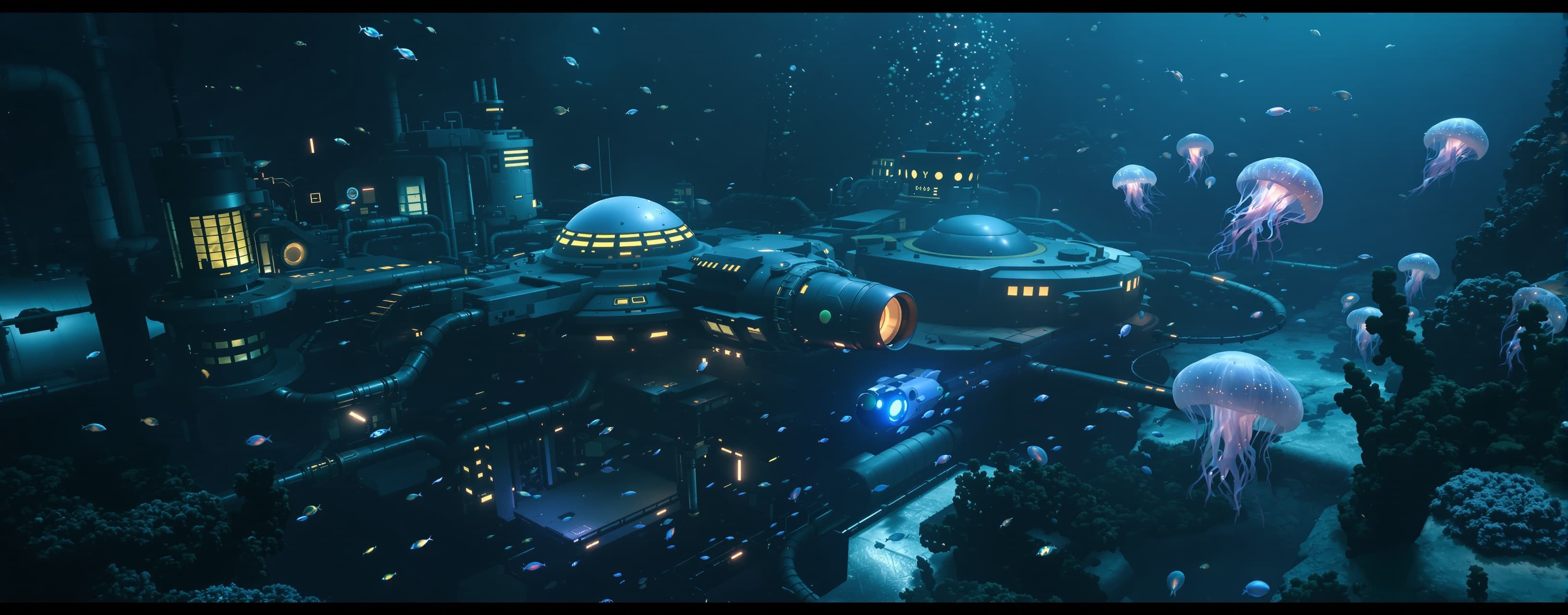
Create a polished, interactive 3D underwater animation as a single HTML file. Concept Build a cinematic real-time 3D scene showing a futuristic underwater research station deep beneath the ocean. A small autonomous submarine is approaching and slowly circling the research station while marine life, particles and bubbles move naturally through the dark water. The result should feel like an interactive 3D game environment, not a flat webpage. 3D Environment Create the environment procedurally using 3D primitives or generated geometry. The scene should contain: - A large futuristic underwater research station with multiple connected glass/metal modules. - A central observation dome with glowing windows. - Several rotating antenna dishes. - Pipes, cables, platforms, docking structures and mechanical details. - A small futuristic submarine as the main moving subject. - Several schools of small fish swimming through the environment. - A few large bioluminescent jellyfish drifting slowly in the distance. - Floating particles and bubbles throughout the water. - A dark ocean floor with rocks and scattered artificial lights. - A very large dark ocean background that fades into the distance. The scene must have obvious depth and scale. Animation The animation should continuously run: - The submarine slowly moves around the station in a curved path. - Its headlights illuminate the surrounding water. - Its engines produce a soft animated blue exhaust. - Fish swim in coordinated groups with slightly different movement patterns. - Jellyfish gently pulse and drift vertically. - Bubbles continuously rise toward the surface. - Small underwater particles slowly drift in different directions. - Antenna dishes and station machinery rotate at different speeds. - Station lights subtly flicker or pulse. - The camera smoothly follows the submarine while occasionally revealing different parts of the station. - The entire experience should loop naturally without obvious jumps. Water and Lighting Create a convincing deep-ocean atmosphere: - Very dark blue environment. - Volumetric-looking underwater fog or layered transparent geometry. - Strong depth fading. - Cyan and blue artificial lights from the station. - Warm orange lights in selected station windows for contrast. - Soft light beams from the submarine headlights. - Bioluminescent cyan/purple marine life. - Bloom or glow effects where supported. - Convincing simulated underwater shadows and lighting. Do not make the scene excessively bright. It should feel like it is hundreds of meters underwater. Interactive Controls Add: - Mouse and touch drag to rotate the camera around the submarine. - Pinch or mouse-wheel zoom. - A button labeled "FOLLOW SUBMARINE" that toggles automatic camera following. - A button labeled "LIGHTS" that toggles the submarine headlights. - Pressing Space activates a short submarine boost. When boost is activated: - The submarine accelerates. - Engine exhaust becomes brighter and longer. - Headlights temporarily become stronger. - Nearby particles move faster. - The camera performs a subtle shake. - A small "BOOST ACTIVE" indicator appears. Add a minimal futuristic HUD containing: - "DEEP SEA RESEARCH // ONLINE" - Current depth - Submarine speed - Headlight status The values may be simulated but should visibly update during the animation. Visual Requirements Prioritize: - Real 3D geometry. - Strong sense of depth. - Cinematic composition. - Smooth animation. - Detailed lighting. - Attractive materials. - Clear separation between foreground, midground and background. - Visually interesting motion even when the user does nothing. Avoid making everything simple cubes. Use combinations of primitives and procedural geometry to create recognizable structures, fish, jellyfish and the submarine. Do not use external images, videos or downloaded 3D models. Performance The scene must remain reasonably smooth on a normal mobile browser. Optimize aggressively: - Reuse geometries and materials. - Use instancing or shared geometry where appropriate. - Avoid creating thousands of individual objects. - Keep particle counts reasonable. - Avoid expensive calculations inside the animation loop when possible. - Handle mobile touch input correctly. - Handle window resizing correctly. Technical Requirements Use WebGL and an appropriate 3D rendering approach. The final result must be contained in one HTML file and immediately render the complete experience. Do not provide pseudocode. Do not leave TODOs. Do not leave placeholder objects or broken controls. Do not replace the 3D scene with a 2D illustration. Every requested interactive feature must actually work. Final Goal The final result should feel like a small playable cinematic scene from a futuristic underwater exploration game. Make the visual result impressive, but prioritize reliability, smooth animation and functional interaction over unnecessary complexity.